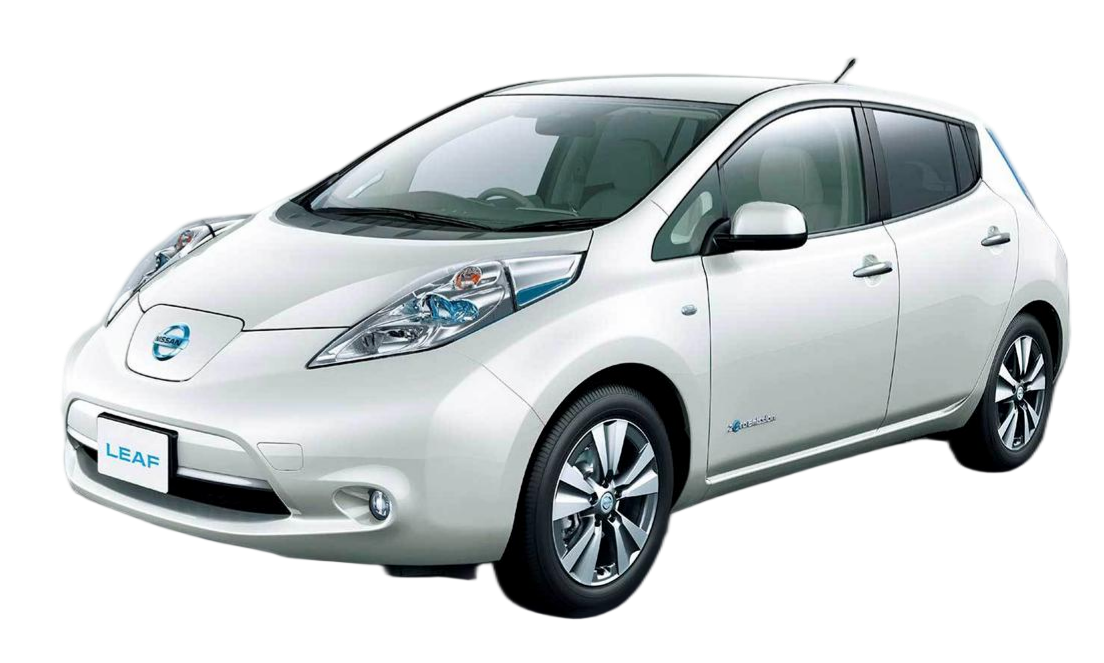
Easy DIY Tools & Tips for Installing a 40kWh Nissan Leaf Battery
Replacing the battery in your Nissan Leaf or e-NV200 is a significant investment in extending the life of your EV. While many assume this requires a professional mechanic, thousands of owners successfully complete this project themselves. With the right preparation and easy DIY tools, you can save hundreds of dollars on labor costs.
At CNS BATTERY, we specialize in OEM-compatible lithium-ion packs for Nissan and BMW models. Our 40kWh battery modules are designed for reliability, offering a cost-effective solution that saves you over 50% compared to dealership prices. To ensure your success, we have compiled a comprehensive guide on the essential tools and steps required for a smooth installation.
🧰 Essential DIY Toolkit for Your 40kWh EV Battery Swap
Before you begin the physical work, gathering the correct equipment is crucial. Safety is paramount when working with high-voltage systems. Do not attempt this installation without the proper gear.
1. Safety First: Personal Protective Equipment (PPE)
Working with a 40kWh lithium-ion battery involves high voltage risks. Never skip the safety gear.
- Insulated Rubber Gloves: High-voltage insulated gloves (rated for at least 1000V) are mandatory to prevent electric shock.
- Safety Glasses: Protect your eyes from debris or sparks.
- Insulated Tools: Ensure all your wrenches and screwdrivers have insulated handles to prevent accidental short circuits.
2. The Mechanical Toolkit
You will need standard automotive tools to remove the old battery and secure the new one.
- Socket Wrench Set: A 1/2-inch drive breaker bar and torque wrench are essential for loosening the tight mounting bolts.
- Socket Sizes: Typically, you will need sizes ranging from 13mm to 19mm, depending on your specific Leaf chassis year.
- Floor Jack and Jack Stands: The battery pack is heavy. You will need a sturdy floor jack to support it and jack stands to secure the vehicle safely.
- Drain Pan: If your model has a coolant system connected to the battery, you will need a pan to catch any fluid drips.
3. The CNS Advantage: Plug-and-Play Design
One of the reasons our customers love the CNS 40kWh battery is the plug-and-play compatibility. Unlike complex retrofits, our packs are engineered to match the OEM harness connectors perfectly. This means you do not need specialized electrical crimping tools—just align the connectors and secure them.
🛠️ Step-by-Step Installation Guide
Our goal is to make the installation as straightforward as possible. Follow these general steps to replace your battery.
Step 1: Power Down the Vehicle
This is the most critical safety step.
- Turn off the ignition and remove the key.
- Open the hood and disconnect the 12V negative terminal from the auxiliary battery. This cuts power to the BMS (Battery Management System) and high-voltage contactors.
- Wait at least 10 minutes to allow any residual current in the capacitors to dissipate.
Step 2: Accessing the Battery Pack
- Lift the vehicle using your floor jack and secure it firmly on jack stands.
- Remove the underbody protection panels to expose the battery housing bolts.
- Carefully drain the coolant (if applicable) into your drain pan.
Step 3: Disconnecting the Old Battery
- Locate the main high-voltage (HV) connector and the low-voltage signal harness.
- Release the locking mechanisms and disconnect the cables. Do not touch the bare terminals.
- Remove the mounting brackets and bolts securing the battery to the chassis.
Step 4: Installing the CNS 40kWh Battery
- Carefully slide the old battery out and position the new CNS pack.
- Connect the low-voltage signal harness first, followed by the main HV connector. Our packs come with color-coded and keyed connectors to prevent incorrect installation.
- Reinstall the mounting brackets and torque the bolts to the manufacturer’s specification (usually between 80-100 Nm).
- Reconnect the coolant lines and refill the system.
Step 5: Final Checks and Power-Up
- Reinstall the underbody panels.
- Reconnect the 12V negative terminal.
- Turn the ignition on. The vehicle should recognize the new battery automatically. If you encounter any BMS errors, our technical support team is available for remote video guidance.
💡 Why Choose a CNS 40kWh Battery?
When you purchase a replacement battery, you are not just buying cells; you are buying a warranty and peace of mind.
- Brand New CATL Cells: Unlike refurbished “junkyard” batteries, we use brand-new, top-tier cells from CATL (Contemporary Amperex Technology Co. Limited), ensuring maximum lifespan and safety.
- Unbeatable Warranty: We back our products with a 24-month / 80,000km warranty. This covers defects in materials and workmanship, far exceeding the coverage offered by most third-party sellers.
- Lifetime Technical Support: Stuck on a step? Our engineers offer remote video support to guide you through the process in real-time.
📊 CNS Battery vs. The Competition
Not all EV batteries are created equal. Here is how our 40kWh solution compares to the alternatives available on the market.
| Feature | CNS BATTERY (New) | Refurbished/Used Batteries | OEM Dealership |
|---|---|---|---|
| Cell Quality | Brand New CATL Cells | Aged, Degraded, Unknown History | Original Manufacturer Cells |
| Price | ~50% Less than OEM | ~70-80% of OEM Price | Full Retail Price |
| Warranty | 2 Years / 80,000km | Often None or 3 Months | 3 Years / 60,000km (Typical) |
| Risk | Low (Zero Defect Rate) | High (Swelling, Failure Risk) | Low |
| DIY Support | Video Guides & Remote Help | None | Professional Installation Only |
🙋 Frequently Asked Questions (FAQ)
Q1: Do I need special programming tools to install the CNS 40kWh battery?
A: No, you do not need expensive diagnostic scanners for the initial installation. The CNS battery is designed to be plug-and-play. However, if you wish to reset the “Battery Health” bars on your dashboard to 12/12, you may need a simple OBD2 tool or professional scan tool, which your local mechanic can assist with. Our BMS is pre-programmed to communicate seamlessly with the Nissan Leaf system.
Q2: How long does the DIY installation take?
A: For a DIY enthusiast with the right tools, the installation typically takes 1 to 2 hours. Professional mechanics can often complete the job in under 50 minutes. We provide high-definition installation videos to guide you through every bolt and connector.
Q3: What if I make a mistake during the install?
A: We understand that EV repairs can be intimidating. If you encounter a wiring issue or a BMS fault code, our customer service team offers free remote video guidance. An expert engineer will walk you through the troubleshooting process step-by-step until the issue is resolved.
Q4: Are there different types of 40kWh batteries for different Leaf models?
A: Yes. The Nissan Leaf has undergone several iterations (ZE0, AZE0, ZE1). While the kWh rating might be the same, the physical casing and connector positions differ. When ordering from CNS, please specify your exact model year so we can ship the correct configuration (ZE0, AZE0, or ZE1) for your vehicle.
📞 Ready to Revive Your EV?
Don’t let a degraded battery limit your driving range. With the CNS 40kWh Battery, you get a factory-standard replacement at half the price, backed by industry-leading support.
If you have questions about compatibility or need help selecting the right tools, our technical experts are here to help. Get a Free Custom Quote today and take the first step toward an EV with renewed power.