
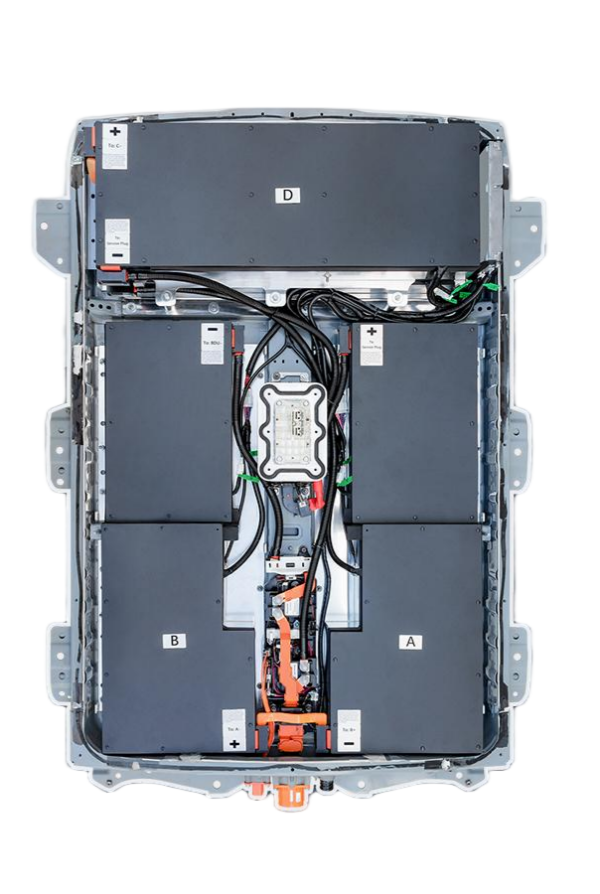
Top DIY Videos for New Nissan Leaf ZE1 Battery Swap: Expert Guide
If you own a Nissan Leaf ZE1 (2021 model year) and are facing battery degradation or looking to upgrade your range, you are likely considering a battery swap. While the idea of replacing a massive lithium-ion pack might seem daunting, the rise of high-quality aftermarket solutions has made this a viable DIY project for enthusiasts. In 2026, the landscape for EV repairs has evolved, and finding the right instructional content is crucial for a safe and successful installation.
This guide curates the top instructional resources and expert tips for swapping your Leaf ZE1 battery, focusing on maximizing safety and performance.
Why Replace Your Nissan Leaf ZE1 Battery?
The Nissan Leaf ZE1, introduced in 2021, typically comes equipped with a 62kWh or 40kWh battery pack. While these packs are robust, time and usage can lead to capacity loss. Replacing the pack restores your vehicle’s original range or allows you to upgrade to a higher capacity.
Unlike older Leaf models (like the ZE0), the ZE1 features modern Battery Management Systems (BMS) and safety protocols. Therefore, simply dropping in a new pack requires precise procedures to avoid damaging the vehicle’s electronics.
Key Benefits of a ZE1 Battery Swap
- Restored Range: Return your car to its original EPA-rated range (up to 226 miles).
- Cost Efficiency: Replacing the battery is significantly cheaper than buying a new car.
- Performance: New cells offer faster charging acceptance and better thermal management.
Finding the Best DIY Video Tutorials
When searching for “Nissan Leaf ZE1 battery swap” videos, it is essential to filter out outdated content meant for the older ZE0 chassis. The ZE1 has different mounting points and wiring harnesses.
What to Look for in a Quality Video
- New Pack Installation: Many older videos focus on “rebuilding” old packs by replacing modules. In 2026, the trend has shifted toward replacing the entire 62kWh lithium battery pack with a brand-new unit for guaranteed longevity.
- BMS Programming: A good video will explain the BMS reset or programming step. The ZE1 requires the BMS to recognize the new pack; otherwise, the car will not start.
- Safety First: The video should emphasize disconnecting the 12V battery and wearing protective gear.
Expert Tip: Look for video tutorials provided directly by the battery manufacturer. These are often more accurate than generic YouTube tutorials, as they are filmed with the specific product you are purchasing.
Step-by-Step Overview: Swapping Your ZE1 Battery
While specific steps vary slightly based on the manufacturer (OEM vs. aftermarket), the general process remains the same. Here is a breakdown of what the top DIY videos usually cover:
1. Preparation and Safety
Before you begin, ensure you have the right tools: a hydraulic jack, jack stands, torque wrench, and insulated socket set.
- Disconnect Power: Always start by disconnecting the negative terminal of the 12V auxiliary battery. This prevents short circuits.
- Cool Down: Ensure the high-voltage system has been powered off for at least 15 minutes.
2. Removing the Old Pack
- Lift the Car: Safely lift the vehicle and secure it on jack stands.
- Remove Undertray: Unbolt the plastic undertray to expose the battery bolts.
- Disconnect Harnesses: Carefully disconnect the high-voltage connector (if accessible) and the low-voltage BMS communication cables. Take photos during this step to remember the wiring layout.
- Unbolt: The ZE1 battery is secured by 12-16 bolts. Remove these systematically.
3. Installing the New Pack
This is where having a high-quality 62kWh lithium battery pack makes all the difference.
- Alignment: Lower the new pack into place. Ensure the mounting feet align perfectly with the chassis holes.
- Torque Specs: Reinstall the bolts to the manufacturer’s specified torque (usually around 80-100 Nm). Do not over-tighten.
- Reconnect: Plug in the BMS connectors and the high-voltage cables.
4. The Critical BMS Reset
This is the step that often trips up DIYers. The car’s computer needs to “learn” the new battery.
- Video Guidance: Many modern manufacturers, such as CNS BATTERY, offer video call installation guidance. An expert can walk you through the specific button presses or software resets required for the ZE1 BMS via Zoom or similar platforms.
- Self-Test: Once connected, reconnect the 12V battery. The car should run a self-test. You may need to drive a short distance for the system to calibrate.
Choosing the Right Battery for Your Swap
Not all replacement batteries are created equal. When sourcing a new pack for your ZE1, you have two main options: used/OEM refurbished or brand new aftermarket.
The Case for New Aftermarket Packs
In recent years, specialized manufacturers have emerged, offering new battery packs at a fraction of the OEM cost.
- Brand New Cells: Top-tier suppliers use cells from CATL (Contemporary Amperex Technology Co. Limited), the same tier-1 supplier used by major automakers.
- OEM Compatibility: The best aftermarket packs are designed to meet OEM standards for voltage and interface matching, ensuring a true “plug-and-play” experience.
- Warranty: Unlike used packs, new aftermarket batteries often come with substantial warranties (e.g., 2 years or 80,000 km), covering defects and performance degradation.
Cost Comparison
| Option | Estimated Cost (USD) | Risk Level | Longevity |
|---|---|---|---|
| Dealership OEM | $12,000 – $16,000 | Low | High |
| Used/Refurbished | $3,000 – $5,000 | High (Unknown history) | Medium |
| New Aftermarket | $6,000 – $8,000 | Low (New Cells) | High |
Expert Recommendations for a Successful 2026 Swap
As an expert in the EV battery space, I recommend focusing on solutions that offer both hardware and support.
- Verify Compatibility: Before purchasing, always provide your VIN to the supplier for a free compatibility check. This ensures the BMS and connectors match your specific ZE1 year.
- Seek Support: Do not hesitate to contact the manufacturer’s technical support. Many companies offer video call installation guidance to talk you through the process in real-time.
- Safety Protocols: Never skip the safety steps. Lithium-ion batteries store immense energy, and improper handling can lead to fire or electric shock.
Swapping the battery in your Nissan Leaf ZE1 is no longer just a mechanic’s job; it is a feasible project for dedicated owners. By combining the right 62kWh lithium battery pack with expert video tutorials and manufacturer support, you can save thousands of dollars and extend the life of your electric vehicle.
Frequently Asked Questions (FAQ)
Q: Is it safe to replace a Nissan Leaf ZE1 battery myself?
A: Yes, if you follow proper safety protocols. Always disconnect the 12V battery first and wear insulated gloves. The process is largely mechanical (bolts and connectors). However, if you are uncomfortable with the BMS programming step, utilizing the manufacturer’s video call installation guidance service is highly recommended.
Q: How long does a Nissan Leaf ZE1 battery swap take?
A: For a professional mechanic, it typically takes about 50 minutes to 1 hour. For a DIY user with basic tools, it usually takes 1-2 hours, depending on your experience level.
Q: What is the advantage of buying a new aftermarket battery over a used one?
A: New aftermarket batteries use brand-new CATL cells, guaranteeing maximum capacity and lifespan. Used batteries often have degraded cells and an unknown history, leading to potential swelling or rapid capacity loss. New packs also come with comprehensive warranties (often 2 years), whereas used packs rarely do.
Q: Do I need special tools to program the new battery?
A: Usually not. Most modern replacement packs are designed for plug-and-play functionality. However, the BMS may require a soft reset. If you encounter issues, most reputable suppliers offer free technical support or video guidance to walk you through the reset process without needing proprietary diagnostic tools.
Q: Where can I get a reliable 62kWh battery pack for my Leaf ZE1?
A: You can explore high-quality, OEM-compatible options designed for Nissan models. For a personalized quote and technical consultation, you can contact experts in the field.



