
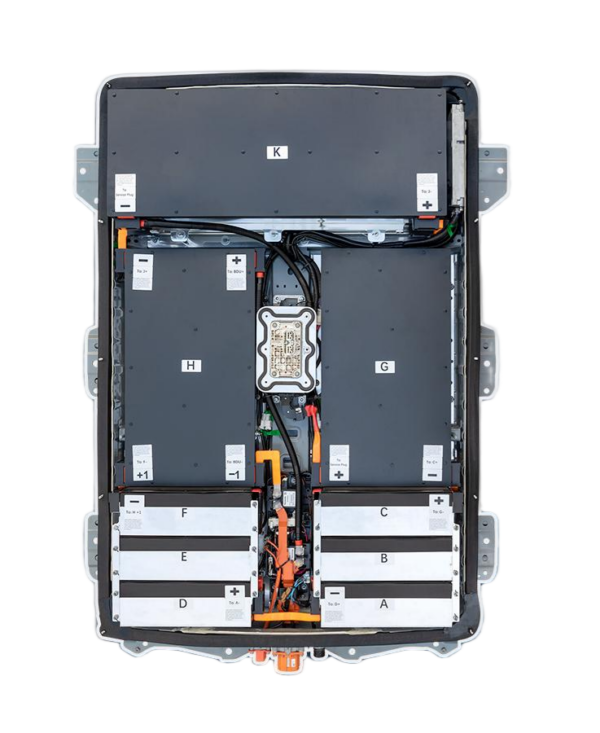
Solving Nissan Leaf P3102 Fault Code After Battery Replacement
If you’ve recently replaced your Nissan Leaf’s battery and are now staring at a P3102 fault code, you’re likely facing a frustrating situation where the vehicle displays “Traction Battery Malfunction” or “Car System Off.” This specific DTC (Diagnostic Trouble Code) translates to a “Battery Cell Balancing Error” or “Battery Module Communication Error.”
As an expert in EV powertrain solutions, I understand that this error usually occurs when the new battery pack’s Battery Management System (BMS) cannot communicate effectively with the vehicle’s main control unit, or when there is a mismatch in the battery module specifications.
This guide will walk you through the common causes and solutions for the P3102 code, specifically focusing on scenarios involving aftermarket or remanufactured battery replacements. If you’re looking for a reliable, plug-and-play solution that avoids these headaches, CNS BATTERY offers OEM-compatible packs designed for Nissan Leaf ZE0, AZE0, and ZE1 models.
Understanding the P3102 Error
The P3102 code is triggered when the vehicle detects an imbalance or communication failure within the high-voltage battery system. After a battery replacement, this is often not a “hardware fault” per se, but rather a “compatibility” or “handshake” issue.
- The Core Issue: The Nissan Leaf expects specific resistance values and communication protocols from the battery modules. If the new BMS (often found in aftermarket batteries) does not mimic the OEM signal perfectly, the car rejects the battery.
- The Consequence: The car cuts power to the traction system to prevent damage, leaving you stranded.
Common Causes of P3102 After Replacement
Before you panic, let’s diagnose why this happened. The most frequent causes include:
- BMS Programming Mismatch: The new battery’s BMS needs to be programmed or “married” to the vehicle’s VIN. Generic BMS units often lack the specific Nissan handshake protocol.
- Incorrect Module Configuration: The Nissan Leaf battery is divided into modules (e.g., 48 modules in older models, 12 modules in newer ones). If the physical arrangement or the internal resistance of these modules does not match the car’s expected map, the P3102 appears.
- Hardware Differences: Some aftermarket batteries use different cell chemistries (e.g., NMC vs. LMO) or different module layouts that the car’s software does not recognize.
Step-by-Step Solutions
1. Verify BMS Compatibility
The first step is to check if your replacement battery’s BMS is specifically designed for the Nissan Leaf. Generic EV BMS units often cause the P3102 because they cannot replicate the complex Nissan communication logic.
- Solution: Ensure the BMS has the correct Nissan Leaf firmware. If you are installing the battery yourself, you may need a specific programming tool (like a Nissan Consult III scanner or a specific BMS programming cable) to force the BMS to output the correct signal.
2. Check Module Wiring and Layout
Physically inspect the wiring harness inside the battery pack. The Nissan Leaf relies on a specific sequence for the module interconnects.
- Solution: Compare the wiring diagram of your new pack against the OEM specifications. A single crossed wire or a module placed in the wrong slot can trigger the balancing error (P3102).
3. Perform a Hard Reset
Sometimes, the error is simply a “glitch” caused by the sudden change in hardware.
- Solution:
- Turn off the car and remove the key.
- Disconnect the 12V auxiliary battery negative terminal.
- Wait for at least 30 minutes to allow all capacitors to discharge.
- Reconnect the 12V battery and try starting the car.
Why Choose a CNS BATTERY Solution?
At CNS BATTERY, we eliminate the guesswork and the risk of encountering P3102 and other DTCs. We understand that our customers want a “Plug-and-Play” experience without the need for complex reprogramming or hardware modifications.
OEM-Grade Compatibility
Our Nissan Leaf battery packs (for ZE0, AZE0, and ZE1 models) are engineered to meet Original Equipment Manufacturer (OEM) standards. We don’t just stuff cells into a box; we replicate the exact communication protocols, resistance values, and module layouts required by Nissan.
Plug-and-Play Design
Unlike generic battery kits that require extensive BMS tuning, our packs are designed for Direct Fitment. When you install a CNS battery:
- No Coding Required: The BMS is pre-programmed to communicate seamlessly with your Leaf’s ECU.
- Guaranteed Compatibility: We offer specific packs for 40kWh, 50kWh, 62kWh, and 68kWh upgrades, ensuring the module configuration matches your car’s software expectations.
Superior Quality and Warranty
We utilize brand-new, premium-grade battery cells (including cells from CATL, the world’s leading battery manufacturer) to ensure longevity and safety. We back this quality with an industry-leading 2-year / 80,000 km warranty, providing peace of mind that generic solutions simply cannot match.
Expert Tip: If you are upgrading your capacity (e.g., from 40kWh to 62kWh), the P3102 code is more likely to appear if the BMS isn’t specifically tuned for the upgrade. Always purchase from a supplier that guarantees software compatibility for upgrades.
Comparing Your Options
To help you make an informed decision, here is a comparison of potential solutions for your battery replacement:
| Feature | Generic/Aftermarket DIY Kits | Refurbished OEM Packs | CNS BATTERY (New OEM-Compatible) |
|---|---|---|---|
| P3102 Risk | High (Often requires complex coding) | Low (If working) | None (Plug-and-Play) |
| Cell Quality | Mixed/Unknown | Aged/Used | Brand New (CATL Grade A) |
| Warranty | Often None or Short | 3-6 Months | 2 Years / 80,000 km |
| Longevity | Unpredictable | Limited | High (10+ Years Expected) |
| Cost | Low (But high labor risk) | Medium-High | 50% Less than Dealer |
Frequently Asked Questions (FAQ)
1. Can I fix the P3102 code myself?
It depends on the root cause. If it is a communication handshake issue, you will likely need specialized diagnostic software (like Nissan Consult) or a BMS programmer, which are not standard tools for most DIY mechanics. If it is a wiring error, you can fix it by re-routing the cables according to the correct module map. However, if the BMS hardware itself is incompatible, the only fix is to replace the BMS with a Nissan-compatible unit.
2. Does the P3102 code mean the battery is defective?
Not necessarily. While a defective module or BMS can cause this code, in the context of a recent replacement, it usually indicates a compatibility mismatch rather than a dead battery. The cells might be perfectly fine, but the car’s computer cannot “talk” to them correctly.
3. How long does a new Nissan Leaf battery last?
A brand-new, high-quality battery pack, like those offered by CNS using CATL cells, is designed to last for over 10 years or 300,000+ km under normal driving conditions. This is significantly longer than refurbished packs, which often suffer from “sudden death” due to unknown cell history.
4. Do I need to update the car’s software after installing a new battery?
In most cases, no. The car’s software is designed to work with the OEM battery specifications. However, if you are installing a higher capacity pack (e.g., a 62kWh in a car originally rated for 40kWh), the car’s software might need to be updated to display the correct State of Charge (SoC) percentage, though the car will usually drive regardless.
Get Your Custom Quote Today
Don’t let the P3102 fault code turn your EV upgrade into a nightmare. Avoid the risks of generic kits and the high costs of dealership replacements.
CNS BATTERY provides the perfect balance of affordability, reliability, and compatibility. Whether you drive a Nissan Leaf ZE0, AZE0, ZE1, or an e-NV200, we have the perfect battery solution ready to install without error codes.

