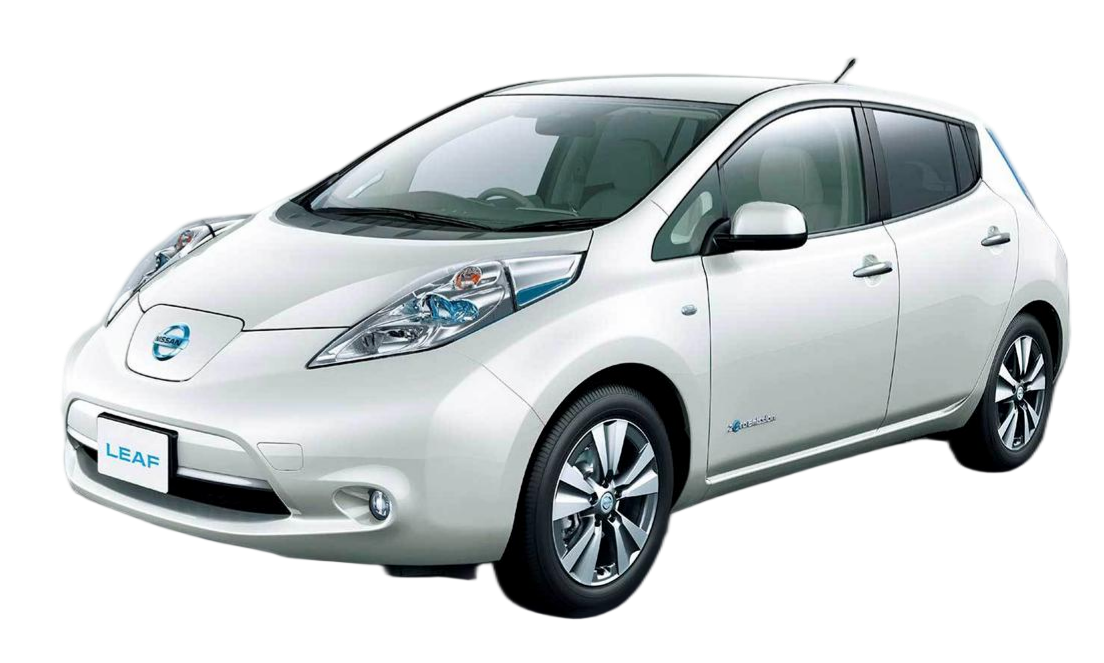
Nissan Leaf ZE1 New Battery Replacement Tutorial
Your Comprehensive Guide to a DIY Nissan Leaf ZE1 Battery Swap
If you own a Nissan Leaf ZE1 (typically 2021-2023 models) and are facing battery degradation or looking to upgrade your range, you are likely weighing your options. Replacing the battery in a ZE1 model is a significant investment, and the cost of an OEM replacement can often approach the value of the vehicle itself.
This comprehensive tutorial is designed for Nissan Leaf owners, mechanics, and EV enthusiasts. It will guide you through the process of replacing your ZE1 battery with a new 62kWh lithium battery pack from CNS BATTERY. We will cover the tools required, the step-by-step installation process, and the critical BMS programming steps to get your Leaf back on the road with zero range anxiety.
Why Replace Your Nissan Leaf ZE1 Battery?
Before diving into the technical details, it is essential to understand why this replacement makes sense.
The Nissan Leaf ZE1 represents the third generation of the popular EV. While reliable, the original battery packs can suffer from capacity loss over time, especially in older ZE1 units or under heavy usage. Instead of paying exorbitant dealership fees for a factory replacement, many owners are turning to high-quality aftermarket solutions.
At CNS BATTERY, we specialize in OEM-compatible Nissan EV batteries. Our packs utilize brand-new CATL (Contemporary Amperex Technology Co. Limited) cells, ensuring top-tier performance, safety, and longevity. By choosing a CNS replacement, you save over 50% in costs compared to the original manufacturer while gaining access to our 2-year/80,000km warranty.
Pre-Installation: Tools and Safety
Safety is the absolute priority when working with high-voltage systems. Before you begin, ensure you have the following:
- Personal Protective Equipment (PPE): Insulated rubber gloves (rated for at least 1000V) and safety goggles.
- Tools: A complete socket set, torque wrench, insulation tape, and a digital multimeter.
- Lifting Equipment: A hydraulic jack and sturdy axle stands, or a dedicated EV lift.
- Discharge Tool: A resistor or bulb to discharge the contactor (if required by your specific vehicle state).
Safety Warning: Always disconnect the 12V auxiliary battery before starting any work on the high-voltage system. Failure to do so can result in severe electric shock or damage to the vehicle’s electronics.
Step-by-Step Installation Guide
This section details the physical replacement of the battery pack. This process is generally considered plug-and-play for the ZE1 model when using a CNS BATTERY pack.
Step 1: Vehicle Preparation
Park your Nissan Leaf ZE1 on a flat, level surface. Engage the parking brake and place wheel chocks behind the rear tires. Lift the vehicle using your hydraulic jack and secure it firmly on axle stands. Never work under a vehicle supported solely by a jack.
Step 2: Removing the Undertray
Locate the plastic undertray covering the battery. Remove the plastic rivets and screws securing it. Carefully lower the undertray to expose the battery casing and the high-voltage connector.
Step 3: Disconnecting the Old Battery
Locate the main high-voltage (HV) service disconnect or the main contactor pack. Disconnect the negative terminal first, followed by the positive terminal. Label the cables if necessary to avoid confusion during reinstallation. Next, disconnect the Battery Management System (BMS) communication harness and any temperature sensor connectors.
Step 4: Removing the Mounting Brackets
Remove the bolts securing the battery pack to the vehicle chassis. The ZE1 battery is typically secured by 8-10 bolts. Carefully slide the old battery out from underneath the vehicle. Note: The battery is heavy; use a transmission jack or a dedicated battery trolley to support the weight.
Step 5: Installing the New CNS Battery
Maneuver the new CNS 62kWh battery pack into position. Align the mounting holes and tighten the bolts to the manufacturer’s specified torque (usually around 80-100 Nm, but refer to your specific manual). Reconnect the high-voltage cables (positive first, then negative) and secure the BMS communication harness.
Step 6: Final Checks and Reassembly
Before lowering the car, double-check all connections for tightness and ensure no tools are left underneath the vehicle. Reinstall the plastic undertray, ensuring all rivets are secure to maintain the vehicle’s aerodynamics and underbody protection.
Programming and Commissioning
Unlike simple mechanical parts, a new EV battery requires electronic integration.
BMS Configuration: The CNS battery comes pre-programmed, but it is crucial to ensure the Vehicle Control Unit (VCU) recognizes the new pack. In most cases, a simple “Plug and Play” integration occurs. However, if your dashboard displays an error, you may need to perform a soft reset or use an OBD2 scanner to clear old fault codes.
The First Charge: We recommend performing the first charge cycle slowly (using a Level 1 or Level 2 charger) while monitoring the battery temperature and voltage through the OBD port if possible. This allows the BMS to balance the cells effectively.
Why Choose a CNS BATTERY for Your ZE1?
Choosing the right supplier is as important as the installation itself. Here is why CNS BATTERY is the preferred choice for Nissan Leaf ZE1 owners:
- Brand-New CATL Cells: We do not use recycled or refurbished cells. Our packs are built with new, high-density lithium-ion cells from the world’s leading manufacturer.
- OEM Fitment: Our engineering team designs the casing and connectors to match the Nissan Leaf ZE1 specifications exactly. There is no need for adapter cables or chassis modifications.
- Comprehensive Support: Stuck on a step? Our technical team offers video call guidance to walk you through the process in real-time.
Frequently Asked Questions (FAQ)
Q1: Is the installation process the same for all Nissan Leaf models?
A: No. While the ZE1 shares some similarities with the ZE0 and AZE0 models, the battery dimensions and connector placements differ. This tutorial is specifically tailored for the ZE1 chassis. Always verify compatibility using our online checker before purchasing.
Q2: Do I need special software to program the new battery?
A: Generally, no. Our batteries are designed for direct replacement. However, if the car’s computer retains old fault codes from the previous battery, you might need a basic OBD2 scanner to reset the system. Our customer service can guide you through this if necessary.
Q3: How much range can I expect after the replacement?
A: With a new 62kWh CNS battery pack, you can expect a full-charge range of approximately 440km (depending on driving conditions and climate). This is a significant improvement over a degraded original pack and is consistent with the specifications of a brand-new Leaf.
Q4: What is the warranty on the replacement battery?
A: We offer a standard 2-year or 80,000km warranty on all our automotive batteries. This covers defects in materials and workmanship, and we also provide prorated coverage for performance degradation, ensuring the battery maintains at least 70% capacity over the warranty period.
Ready to Revive Your Nissan Leaf?
Don’t let a failing battery end your EV journey. Replacing your Nissan Leaf ZE1 battery is a cost-effective way to restore your car’s performance and extend its life for another decade.
If you need help selecting the right 40kWh or 62kWh pack for your specific model year, or if you want to confirm VIN compatibility, our experts are ready to assist.
Get a Free Custom Quote and Compatibility Check Today: Contact CNS BATTERY Experts