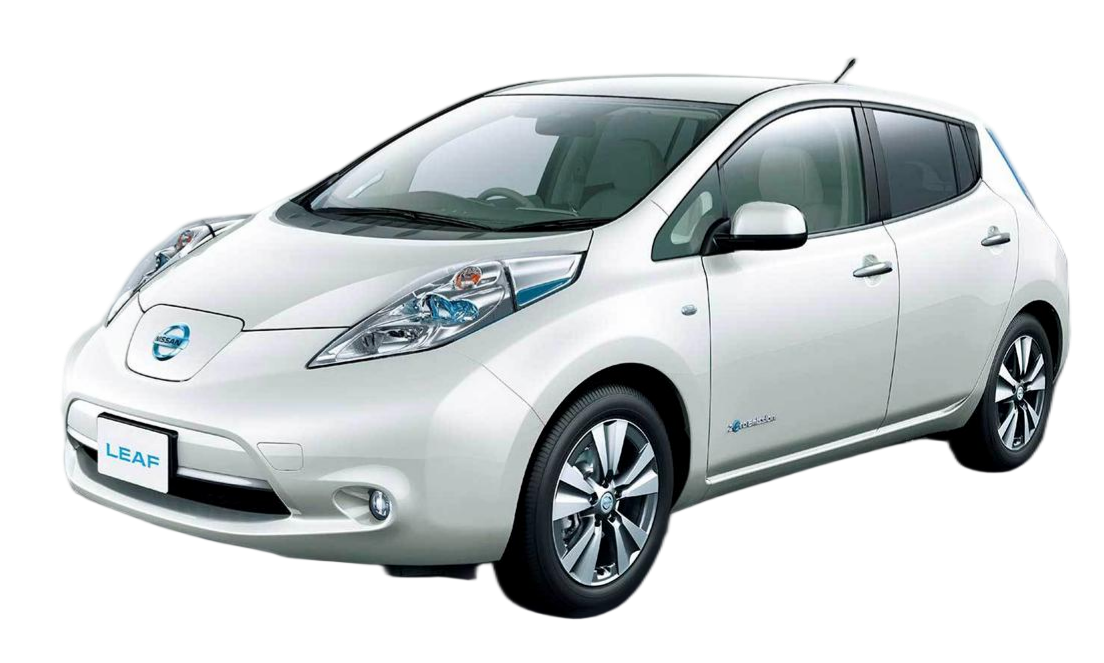
How to Install a Nissan Leaf Plus New Battery: A Comprehensive Guide
Upgrading your Nissan Leaf to a “Plus” specification with a higher capacity battery pack is one of the most effective ways to combat range anxiety and breathe new life into your electric vehicle. Whether you drive a ZE0, ZE1, or AZE0 model, installing a Nissan Leaf Plus new battery can significantly extend your driving range.
However, installing a high-voltage lithium-ion battery is a serious task that requires precision, safety protocols, and the right tools. As a leading manufacturer specializing in OEM-compatible Nissan and BMW batteries, CNS BATTERY has compiled this expert guide to ensure your installation is safe, successful, and hassle-free.
Why Choose a Nissan Leaf Plus Battery Upgrade?
Before diving into the installation steps, it is essential to understand the value of upgrading. The original Nissan Leaf batteries (24kWh, 30kWh, and 40kWh) have served well, but modern replacements like the 62kWh or 68kWh packs offer a substantial leap in performance.
- Extended Range: A Nissan Leaf Plus new battery can increase your range from approximately 150km (for older models) to over 400km on a single charge.
- New Technology: Upgrading allows you to utilize new CATL battery cells with superior energy density and thermal management compared to older, degraded units.
- Cost Efficiency: Replacing an old pack with a new high-capacity unit is often 50% cheaper than purchasing a brand-new Leaf Plus.
Essential Tools and Safety Gear
Safety is the absolute priority when working with high-voltage systems. Before you begin, gather the following equipment to ensure a professional installation.
| Tool/Item | Purpose |
|---|---|
| Insulated Safety Gloves | Protects against electric shock (Class 00 or higher recommended). |
| Torque Wrench | Ensures bolts are tightened to the manufacturer’s specifications (Nm). |
| OBD2 Diagnostic Tool | Required for resetting error codes and initializing the BMS (Battery Management System). |
| Anti-Static Wrist Strap | Prevents static discharge that could damage sensitive electronics. |
| Terminal Cleaner | Ensures a clean, corrosion-free connection between the battery and vehicle harness. |
Expert Tip: CNS BATTERY provides a free toolkit with insulated gloves and terminal cleaner for customers who purchase a complete pack, ensuring you have the basics covered.
Step-by-Step Installation Process
The installation process for a Nissan Leaf Plus new battery is generally plug-and-play for models like the ZE0, ZE1, and AZE0, but attention to detail is critical.
- Power Down the Vehicle
- Park the vehicle on a flat, level surface.
- Turn off the ignition and remove the key.
- Disconnect the 12V auxiliary battery to cut all power to the vehicle systems. This is a non-negotiable safety step to prevent short circuits.
- Remove the Underbody Shield and Retainers
- Locate the battery compartment underneath the vehicle.
- Carefully remove the plastic underbody shields and the bolts securing the battery pack to the chassis. There are typically several heavy-duty bolts that may require significant torque to loosen.
- Disconnect the High-Voltage (HV) Connectors
- Warning: Even though the 12V is disconnected, the main pack holds a charge. Wear your insulated gloves.
- Disconnect the main HV orange cable connector and the signal/data connector. These are usually located at the front or rear of the battery tray.
- Remove the Old Battery
- Carefully lower the old battery pack from the chassis. Be mindful of the weight; old batteries are heavy, and newer high-capacity packs are similarly weighted but denser.
- Install the New Nissan Leaf Plus Battery
- Position the new high-capacity pack (e.g., 62kWh or 68kWh) into the chassis.
- Reconnect the signal/data harness first, followed by the main HV orange cable. Ensure the connectors are fully seated and locked.
- Torque the Bolts: Secure the battery to the chassis using the original bolts. Do not overtighten; follow the torque specifications (Nm) provided in the manual.
- Reinstall Underbody Shields
- Replace all plastic shields and retainers to protect the battery from road debris and water.
Post-Installation: Programming and Testing
Simply plugging in the battery is not always enough. A Nissan Leaf Plus new battery requires proper initialization to communicate with your vehicle’s systems.
- BMS Initialization: The Battery Management System (BMS) in the new pack needs to be activated. This often involves using an OBD2 scanner to clear old error codes and prompt the vehicle to recognize the new hardware.
- Voltage Check: Before turning the car on, use a multimeter to check the voltage at the main connector to ensure there are no shorts.
- First Power-On: Reconnect the 12V battery. Turn the ignition on (do not start the car immediately). Check the dashboard for any warning lights. If the “Brake” or “Airbag” lights appear, they should reset after driving a short distance. If the “Battery” or “Check Engine” light remains on, you may need to contact technical support for remote video guidance to resolve the code.
Common Challenges and Solutions
While the process is designed to be straightforward, some users encounter minor hurdles:
- Corroded Bolts: If you are replacing a very old battery, the chassis bolts may be rusted. Apply penetrating oil and allow it to soak before attempting removal to avoid stripping the heads.
- BMS Communication Errors: If the car does not recognize the new battery, it is likely a software handshake issue. Many professional shops and manufacturers (like CNS) offer remote support to guide you through resetting the BMS via video call.
- Winter Installation: If installing in cold weather (below 0°C), the battery chemistry may be sluggish. It is recommended to charge the battery indoors or in a warm garage before the first drive to ensure optimal performance.
Why Choose CNS BATTERY for Your Leaf Plus Upgrade?
Selecting the right supplier is as important as the installation itself. At CNS BATTERY, we specialize in providing OEM-compatible, high-performance lithium-ion solutions for Nissan and BMW vehicles.
- Brand New Cells: We utilize brand-new CATL battery cells, ensuring you are not receiving recycled or refurbished modules that are prone to swelling or failure.
- Plug-and-Play Design: Our packs are engineered to match the original factory specifications, minimizing the need for modifications.
- Unbeatable Warranty: We stand by our quality with a 2-year / 80,000km warranty, far exceeding industry standards, covering defects and performance degradation.
- Expert Support: We offer lifetime technical support and video call guidance to ensure your installation is successful.
Frequently Asked Questions (FAQ)
1. How long does it take to install a Nissan Leaf Plus new battery?
For a professional technician, the installation typically takes 1-2 hours. DIY users may take longer, depending on their experience and whether the chassis bolts are rusted. The process involves disconnecting the old pack and bolting in the new one, which is generally plug-and-play.
2. Is it difficult to install the battery myself?
If you have basic mechanical skills and the right tools (torque wrench, insulated gloves), it is manageable. However, due to the high-voltage risks, we strongly recommend wearing proper safety gear. If you are uncomfortable, hiring a local mechanic is advisable. We provide detailed video tutorials and manuals to assist you.
3. Will my car’s warranty be affected?
Since we provide an aftermarket battery, the original manufacturer’s warranty on the battery will be replaced by our warranty. However, our 2-year / 80,000km warranty covers the battery pack. It is recommended to check your specific vehicle model compatibility with our sales team to ensure no conflicts with other vehicle systems.
4. Do I need special tools to charge the new battery?
No. A Nissan Leaf Plus new battery uses the standard J1772 (Type 1) or CCS charging port, compatible with all public charging stations and your home charger. No modifications to your charging equipment are necessary.
5. What is the range difference between a 40kWh and a 62kWh/68kWh battery?
Upgrading from a 40kWh to a 62kWh or 68kWh pack can increase your range from approximately 150-200km to 430-470km on a full charge, effectively doubling your driving distance.
Ready to upgrade your Nissan Leaf with a high-capacity, factory-standard battery? Get a free quote and compatibility assessment today.