The Ultimate Guide to Nissan Leaf 62kWh DIY Installation: Tools & Tips
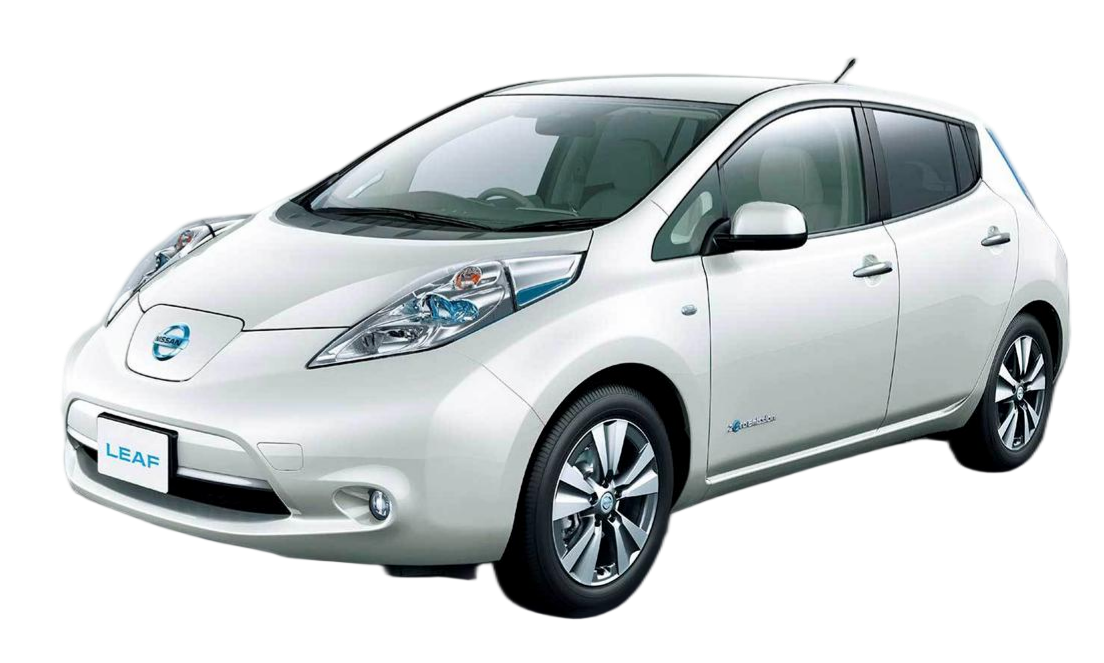
Is your Nissan Leaf’s range no longer enough for your daily commute? If you drive a ZE0, ZE1, or AZE0 model, upgrading to a 62kWh lithium battery pack is the most cost-effective way to breathe new life into your EV. At CNS BATTERY, we specialize in OEM-compatible solutions that save you over 50% compared to factory replacements.
While the idea of replacing an EV battery might seem daunting, many of our customers successfully complete this project as a DIY weekend warrior. With the right Easy DIY Tools and a clear plan, you can install a brand-new CATL battery cell pack in just a few hours. This guide will walk you through the essential tools and safety gear required for a smooth 62kWh Install.
🛠️ Essential Tool Kit for Your 62kWh DIY Project
Before you begin, safety is paramount. Lithium batteries store high voltage, so please ensure you have the following gear. We recommend checking our Installation Guide for visual references.
1. Safety First: Personal Protective Equipment (PPE)
- Insulated Gloves: High-voltage insulated gloves are non-negotiable. They protect you from electrical shock when handling the high-voltage cables.
- Safety Glasses: Protect your eyes from debris or sparks.
- Non-Conductive Mat: It is recommended to stand on a rubber mat to prevent grounding yourself.
2. Basic Mechanics: Wrenches & Sockets
- Socket Wrench Set: You will need a variety of sockets to remove the underbody panels and the battery mounting brackets. Common sizes include 10mm, 13mm, and 17mm, but this can vary depending on your specific Leaf model year.
- Torque Wrench: While not strictly necessary, a torque wrench ensures you tighten the mounting bolts to the manufacturer’s specifications, preventing stripped threads.
3. Electrical & Connection Tools
- Multimeter: Essential for verifying that the power is disconnected before you start working.
- Terminal Cleaner: To ensure a perfect connection between the new battery and your vehicle’s harness.
Expert Tip: If you don’t own these tools, CNS BATTERY often provides a free installation toolkit (including insulated gloves and cleaner) with qualifying orders. Contact our experts to see if this promotion is currently active for your Nissan Leaf ZE0 or ZE1 model.
⚡ Step-by-Step: The 62kWh Installation Process
Our 62kWh lithium battery pack is designed for Plug-and-Play compatibility. Unlike complex engine swaps, this is primarily a “bolt-out, bolt-in” procedure.
Step 1: Preparation & Power Down
- Park your Nissan Leaf on a flat surface and engage the parking brake.
- Disconnect the 12V Battery: This is the most critical safety step. Open the hood and disconnect the negative terminal to cut all vehicle power.
- Wait 10 Minutes: Allow the capacitors in the inverter and BMS to discharge completely.
Step 2: Removal of the Old Pack
- Remove the underbody plastic shields.
- Carefully slide the vehicle onto jack stands (or use a lift if available).
- Disconnect the high-voltage cables from the old battery (take photos for reference).
- Remove the mounting bolts. The old battery is heavy, so be prepared or use a floor jack with a wide wood plank for support.
Step 3: Installing the New CNS 62kWh Pack
- Inspect the New Pack: Ensure the casing is undamaged.
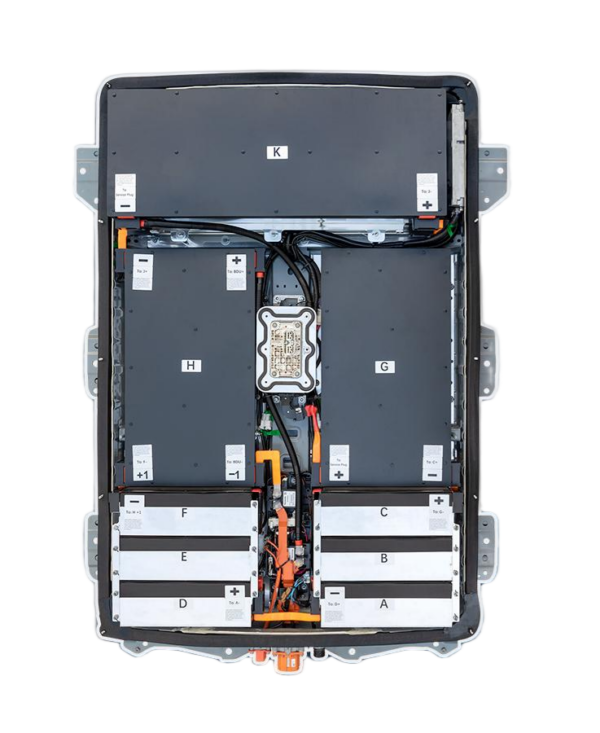
- Positioning: Slide the new 62kWh battery pack into place. Thanks to our OEM-standard design, the bolt holes and connectors will match perfectly.
- Reconnect: Attach the high-voltage cables and the signal harness. Our connectors are color-coded to prevent mistakes.
- Seal & Close: Replace the underbody panels.
Step 4: BMS Coding (The “Magic” Step)
This is where many DIYers get stuck, but with CNS, it’s simple. Our battery management system (BMS) often requires a software update to communicate with your car.
- Video Call Support: If you encounter issues, our technical team offers free video call guidance. We will walk you through the programming software step-by-step until the communication is successful.
💰 Why Choose a CNS 62kWh DIY Upgrade?
You might be wondering, “Why install this myself instead of going to a dealer?”
- Massive Cost Savings: By choosing the DIY route, you save thousands of dollars in labor fees. Combined with our price (50% lower than OEM), you get a brand-new 62kWh lithium battery pack for the price of a used one from a dealership.
- Brand-New Quality: Unlike refurbished packs that use degraded cells, CNS uses brand-new CATL cells. This means a lifespan far exceeding that of a second-hand battery.
- Unbeatable Warranty: We back our confidence with a 24-month / 80,000 km warranty. This covers manufacturing defects and performance degradation, ensuring your peace of mind.
📝 Final Checklist Before You Drive
Before you take your Leaf for a spin, please double-check the following:
- Tightness: Ensure all high-voltage cable nuts are tightened securely to prevent arcing.
- Leakage: Visually inspect the battery tray area for any signs of fluid leakage (though lithium packs are generally dry).
- System Check: Reconnect the 12V battery. Turn the key to “ON” (do not start the car yet). Check the dashboard for error codes. If everything is clear, start the car and verify the state of charge (SOC).
❓ Frequently Asked Questions (FAQ)
Q1: Is the 62kWh DIY installation safe for a beginner?
A: While the process is mechanically simple (bolting and plugging), working with high voltage requires strict adherence to safety protocols. If you are uncomfortable, we highly recommend using our free video call guidance service or hiring a local mechanic. Most of our customers complete it in 1-2 hours with the help of a friend.
Q2: Will the 62kWh pack fit my specific Nissan Leaf model?
A: Yes, but it depends on the generation. Our packs are compatible with Leaf ZE0, ZE1, and AZE0 models. To ensure perfect fitment, we offer a Free Compatibility Assessment. Simply provide your VIN number to our sales team before ordering.
Q3: What if I make a mistake during the BMS coding?
A: Don’t panic. Our technical support team is available to assist. We offer remote video guidance to troubleshoot any programming errors. If the hardware is damaged due to incorrect installation, our warranty may be void, so please follow the manual carefully.
Ready to revive your Nissan Leaf with a brand-new 62kWh battery?
Get a Free Custom Quote Today and save over 50% on your upgrade.
Contact Our Technical Experts Now