
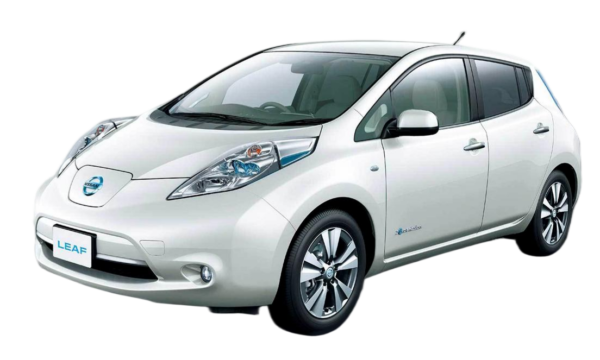
DIY Nissan Leaf Battery Upgrade: Everything You Need to Know
Owning a Nissan Leaf is a smart choice for eco-conscious drivers, but battery degradation is an inevitable reality. As the years pass, that once-reliable range starts to shrink, and the dreaded “Turtle” light might become a frequent companion. If you’re facing this issue, you have a critical decision to make: pay the exorbitant price for an OEM replacement or find a high-performance, cost-effective alternative.
This guide is designed for Leaf owners ready to take control of their vehicle’s destiny. We will walk you through the process of upgrading your battery, focusing on the DIY approach that can save you thousands while restoring your car to “like-new” condition. We’ll cover compatibility, the step-by-step process, and why choosing the right supplier is the most important factor in your success.
Why Upgrade Your Nissan Leaf Battery?
The Nissan Leaf has been one of the world’s best-selling electric vehicles, and many early models (2011-2017) are still on the road. However, the original batteries in these ZE0 and AZE0 models were not designed to last a lifetime.
The Problem: Over time, lithium-ion cells degrade due to heat cycles and chemical aging. This results in a significant loss of capacity—sometimes dropping below 50% of the original range. Replacing the entire pack with a brand-new OEM unit can cost upwards of $10,000 to $16,000, which often exceeds the value of the car itself.
The Solution: A DIY battery upgrade. By sourcing a compatible aftermarket pack or modules, you can restore your vehicle to full functionality for a fraction of the cost. Not only does this extend the life of your car, but it also allows for potential upgrades to higher capacity (e.g., upgrading from a 24kWh or 30kWh to a 40kWh, 62kWh, or even 68kWh pack), effectively turning your older Leaf into a long-range commuter.
Understanding Compatibility: ZE0, AZE0, ZE1, and e-NV200
Before you start shopping, you need to identify your specific Leaf generation. Compatibility is not just about physical fit; it involves voltage matching, Battery Management System (BMS) communication, and connector types.
- Nissan Leaf ZE0 (2011-2012): The original model. Upgrading these often requires the most modification due to their unique pack design.
- Nissan Leaf AZE0 (2013-2017): This generation saw the introduction of the 30kWh battery. These are popular candidates for upgrades to 40kWh or 62kWh packs.
- Nissan Leaf ZE1 (2018+): The newer design features a different chassis and cooling system. These are typically upgraded to 62kWh packs.
- Nissan e-NV200: Shares similar battery technology and is also a prime candidate for refurbishment or upgrades.
The key to a successful DIY project is Plug-and-Play (PnP) compatibility. You want a battery that fits your chassis bolts, aligns with your wiring harness, and communicates seamlessly with your car’s logic module without requiring complex reprogramming or physical alterations.
The Step-by-Step DIY Upgrade Process
Upgrading your battery is a significant project, but it is entirely manageable for a dedicated DIYer with basic mechanical skills. Here is the general workflow you can expect:
- Preparation and Safety: Before touching a wrench, ensure you have the proper safety gear (insulated gloves, safety glasses) and tools. You will need a floor jack, jack stands, and basic hand tools.
- Power Down: This is critical. You must disconnect the 12V auxiliary battery and wait at least 15 minutes to allow the capacitors in the high-voltage system to discharge.
- Removal: The Leaf battery is located under the floor of the vehicle. You will need to remove the underbody covers and unbolt the old battery pack. This can be heavy (often 600+ lbs), so having a second person or a transmission jack is highly recommended.
- Installation: Once the old pack is out, the new pack goes in. With a compatible solution, this should be a straightforward reversal of the removal process. Bolt it in, reconnect the high-voltage connectors, and reattach the underbody shields.
- Programming and Initialization: This is where many DIYers get stuck. A new battery pack requires the BMS to be initialized so the car recognizes it. This usually requires an OBD2 scanner or a specific programming cable.
Expert Tip: While the physical installation might take 1-2 hours for a professional (or 3-4 hours for a careful DIYer), the programming step is the most crucial. Ensure your supplier provides detailed video tutorials or remote support to guide you through the BMS reset.
Why Quality Matters: Avoiding the “Refurbished” Trap
When searching for a “DIY Nissan Leaf battery,” you will encounter two main types: Brand New Cell Packs and Refurbished/Used Packs.
The Refurbished Risk:
Many cheap suppliers source cells from scrap yards. These cells are already degraded, and their lifespan is unpredictable. They often suffer from “imbalance,” where some cells hold a charge and others do not, leading to rapid failure, swelling, or even fire hazards.
The CNS BATTERY Standard:
For a DIY project, you need reliability. This is why we recommend using packs built with brand-new, A-grade cells from top-tier manufacturers like CATL. These cells offer:
- Guaranteed Longevity: New cells start with 100% health and are designed to last for hundreds of thousands of miles.
- Safety: New cells have intact separators and stable chemistry, reducing the risk of thermal runaway.
- Warranty Protection: A reputable supplier will back their new cells with a substantial warranty (such as 2 years or 80,000 km).
Cost Comparison: OEM vs. Aftermarket
To understand the value of a DIY upgrade, let’s look at the numbers. Replacing a battery should not cost more than the car.
| Comparison Factor | OEM Replacement | Cheap Refurbished | Premium Aftermarket (e.g., CNS) |
|---|---|---|---|
| Price Range | $12,000 – $16,000 | $3,000 – $5,000 | $6,000 – $8,500 |
| Cell Quality | New (Original) | Used/Scrap | New (CATL/Grade A) |
| Warranty | 8 Years / 100k Miles | None or 3 Months | 2 Years / 80k KM |
| DIY Feasibility | Requires Dealership | Risky, Unbalanced | Plug-and-Play + Video Guide |
| Risk Level | Low | High (Swelling/Failure) | Low |
As you can see, a premium aftermarket solution offers the safety and reliability of new cells at roughly 50% of the OEM price, making it the only logical choice for a DIY enthusiast.
Overcoming the Biggest Hurdle: Support and Trust
The biggest fear for anyone attempting a DIY Nissan Leaf battery upgrade is the “what if” scenario. What if the battery doesn’t fit? What if the car doesn’t recognize it?
This is where choosing a supplier that acts as a partner, not just a vendor, is essential.
- Free Compatibility Check: Before you buy, a good supplier will ask for your VIN to confirm the exact fit for your model year.
- Video Call Support: If you get stuck during installation or programming, having access to an engineer via video call (Zoom, WhatsApp) can save the day. Real-time guidance ensures you don’t damage your new investment.
- Documentation: Look for suppliers that provide comprehensive manuals and high-definition installation videos specific to your Leaf model.
Conclusion: Revive Your Ride
Upgrading your Nissan Leaf battery is no longer a gamble reserved for professional mechanics. With the right information and a reliable partner, you can perform this upgrade in your garage over a weekend.
By choosing a high-quality, new-cell battery pack, you are not just fixing a problem; you are upgrading your vehicle. You gain restored range, better safety, and the satisfaction of knowing exactly what is powering your car.
Don’t let battery degradation end your Leaf’s journey. Explore your upgrade options today and get back on the road with confidence.
Ready to get your custom quote and start your DIY project? Contact our technical experts now for a free compatibility assessment and personalized solution.
Frequently Asked Questions (FAQ)
Q1: How long does it take to install a new Nissan Leaf battery?
A: For a professional mechanic, the installation typically takes about 1 hour. For a DIY enthusiast, it usually takes between 2 to 3 hours. This includes the time to safely disconnect the old battery, install the new one, and perform the final checks. The process is generally plug-and-play, but we always recommend reviewing the installation video guide beforehand.
Q2: Is it safe to do a DIY battery replacement?
A: Yes, it is safe if proper procedures are followed. The most critical step is disconnecting the 12V auxiliary battery and waiting at least 15 minutes before starting work to ensure the high-voltage capacitors are fully discharged. Always wear insulated gloves and safety glasses when handling high-voltage components. If you are uncomfortable with the process, we recommend utilizing our video call support service for real-time guidance.
Q3: Will a new aftermarket battery work with my car’s software?
A: Yes, but it requires initialization. A compatible aftermarket battery will physically fit and connect, but the car’s Battery Management System (BMS) needs to be reset to recognize the new pack. This usually involves a programming step using an OBD2 scanner. Reputable suppliers provide detailed instructions or remote support to guide you through this programming process to ensure seamless integration.
Q4: What is the warranty on a DIY replacement battery?
A: A premium DIY replacement battery should come with a substantial warranty. For example, many high-quality suppliers offer a minimum warranty of 2 years or 80,000 kilometers. This covers manufacturing defects and ensures that the battery maintains a high state of health. Always verify the warranty terms before purchasing, as cheap refurbished batteries often come with no warranty or a very short one.
Q5: Can I upgrade to a higher capacity (e.g., from 24kWh to 62kWh)?
A: Yes, upgrading to a higher capacity is one of the most popular modifications. Many Leaf owners successfully upgrade from older 24kWh formats to modern 40kWh, 62kWh, or even 68kWh packs. This requires ensuring that the physical dimensions of the new pack fit your specific Leaf generation (ZE0, AZE0, or ZE1) and that the voltage and connectors are compatible. A professional supplier can confirm if your specific chassis can accommodate a higher-capacity upgrade.

