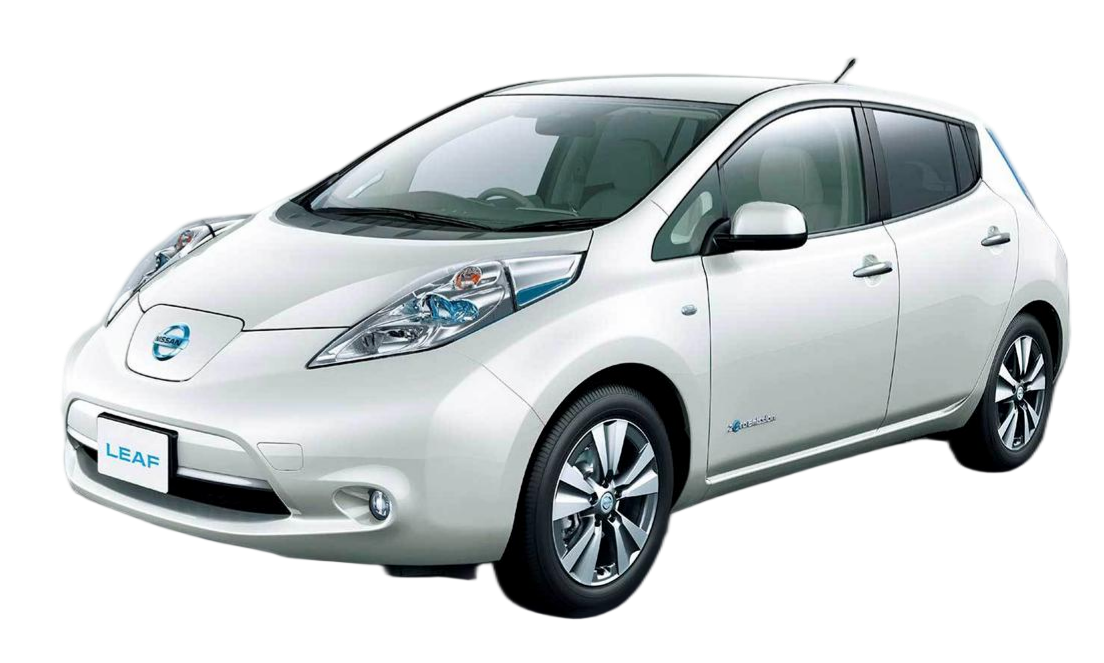
How to Install Top Leaf EV Battery for Personal Use
Is your Nissan Leaf’s range no longer enough for your daily commute? You’re not alone. As EV batteries age, their capacity degrades, leaving owners with the tough choice of buying a new car or replacing the battery. If you’re looking for a cost-effective way to breathe new life into your Leaf, you’ve come to the right place.
At CNS BATTERY, we specialize in high-performance, OEM-compatible battery solutions for Nissan Leafs. We understand that the thought of installing a new battery pack might seem daunting, but with the right guidance, it is a project that many DIY enthusiasts can complete successfully. This guide will walk you through the process of installing a top-tier Leaf EV battery for personal use, ensuring you get the most value and performance out of your vehicle.
Why Choose a CNS BATTERY for Your Nissan Leaf?
Before diving into the installation process, let’s address the “why.” Why choose CNS BATTERY over other options?
- Unmatched Cost Efficiency: Replacing your battery with a CNS pack can save you over 50% compared to original manufacturer prices. This allows you to extend your vehicle’s life without the hefty price tag of a new car.
- Premium Cell Quality: We utilize brand-new, top-tier battery cells from industry leaders like CATL. Unlike refurbished or recycled batteries, our packs offer superior performance, safety, and a longer lifespan.
- Comprehensive Warranty: We stand by our products with an unbeatable warranty of up to 2 years or 80,000 km. This coverage includes protection against defects and performance degradation, ensuring your peace of mind.
- Perfect OEM Fit: Our batteries are engineered to meet original factory standards, guaranteeing a precise fit for your Leaf model (ZE0, AZE0, ZE1, or e-NV200).
Pre-Installation: Preparation is Key
Before you start, you need to ensure you have the correct battery and the necessary safety equipment.
1. Compatibility Check
It is crucial to verify that the battery pack is compatible with your specific Leaf model year and VIN. At CNS, we offer a free pre-sales compatibility assessment. Simply provide your vehicle details, and our experts will confirm the perfect match to avoid any installation issues.
2. Tools and Safety Gear
Installing a high-voltage battery requires strict adherence to safety protocols. Please gather the following:
- Safety Gear: Insulated gloves, safety goggles, and non-conductive footwear.
- Tools: A complete set of wrenches and sockets, a torque wrench, a multimeter for voltage checks, and basic hand tools.
- Environment: Work in a dry, well-ventilated area away from flammable materials.
Step-by-Step Installation Guide
Follow these steps carefully to install your new Nissan Leaf battery.
Step 1: Disconnect the Power
Safety is paramount. Begin by disconnecting the vehicle’s 12V auxiliary battery to cut off all power. This prevents any accidental short circuits during the installation process.
Step 2: Remove the Old Battery
Locate the battery pack under the vehicle. Carefully remove the underbody covers and disconnect the high-voltage cables and signal connectors. Label each connector if necessary to remember their positions. Once disconnected, unbolt the battery mounting brackets and lower the old pack.
Step 3: Prepare the New CNS Battery
Inspect your new CNS battery pack. Ensure all terminals are clean and undamaged. If you ordered a complete pack, it should be ready to install. If you have a module replacement, ensure the BMS (Battery Management System) is correctly programmed.
Step 4: Install the New Battery
Lift the new battery pack into position. This may require a lift or a helping hand as the pack is heavy. Align it with the mounting points and secure it with the bolts, tightening them to the manufacturer’s specified torque.
Step 5: Connect the Cables
Reconnect the high-voltage cables and signal connectors. Ensure all connections are tight and secure. The connectors are typically color-coded or keyed to prevent incorrect installation.
Step 6: System Integration and Testing
Reconnect the 12V auxiliary battery. Before starting the vehicle, use a multimeter to check the voltage and ensure there are no shorts. Once powered, the vehicle should automatically recognize the new battery. If required, our customer service team can guide you through the BMS programming via a video call.
Step 7: Final Check and Test Drive
Reinstall the underbody covers. Take your Leaf for a short test drive to ensure everything is functioning correctly. Monitor the battery health and range display.
Post-Installation Support
Even with the best preparation, questions can arise. CNS BATTERY offers robust post-installation support. If you encounter any issues with wiring or programming, our technical experts are available for remote video guidance to help you troubleshoot and resolve the problem quickly.
Frequently Asked Questions (FAQ)
1. Is it difficult to install a CNS battery myself?
The installation process is designed to be user-friendly. For a professional technician, it typically takes about 50 minutes to 2 hours. DIY users with basic mechanical knowledge can also complete it by following our detailed step-by-step installation videos and manuals. We also offer video call installation guidance for extra support.
2. What if my battery capacity degrades over time?
CNS BATTERY offers a comprehensive warranty that covers performance degradation. We guarantee that your battery will maintain at least 70% capacity over the warranty period. If it degrades below this threshold due to manufacturing defects, we provide free replacement or repair.
3. How long does shipping take?
We provide DDP (Delivered Duty Paid) service worldwide. Shipping times vary depending on the method chosen (air or sea). While sea shipping can take 4-8 weeks, we ensure robust packaging to prevent damage during transit.
4. Are the batteries compatible with all Nissan Leaf models?
Yes, our batteries are designed for a wide range of Nissan Leaf models, including ZE0, AZE0, ZE1, and e-NV200. We also support BMW i3 models. Always confirm compatibility with our team before purchasing.
5. What payment methods do you accept?
We offer a variety of secure payment options. Please contact our customer service to confirm the available methods when signing the contract.
Ready to revive your Nissan Leaf with a high-performance battery? Get a Free Custom Quote Now and experience the CNS difference.