BMW i3 Battery BMS Software Update: DIY – Why Most Owners Should Not Attempt It (And What to Do Instead)
“I followed a YouTube tutorial to ‘update my i3’s BMS’ using an $80 OBD2 dongle and free software. The car wouldn’t start. The dashboard flashed ‘High-Voltage System Fault.’ I towed it to a dealer—they said the BMS was bricked. Repair quote: $4,200. All because I tried to ‘refresh’ software that didn’t need touching. Later, CNS support told me: ‘The BMS doesn’t get “updates” like your phone. It gets reprogrammed—only when hardware changes.’ I’d risked my entire pack for a myth.”
You just installed a new battery—or your i3 shows strange range behavior.
Online forums whisper: “Try a BMS software update.”
You wonder:
“Can I do this myself… or am I one wrong click from disabling my car?”
The uncomfortable truth?
There is no user-accessible “BMS software update” for the BMW i3 in the traditional sense. What many call an “update” is actually BMS coding or parameter adaptation—a high-stakes procedure that requires OEM-level tools, vehicle-specific data, and deep system knowledge.
In this guide, you’ll learn:
- Why BMS “updates” aren’t like infotainment upgrades
- The real scenarios where BMS reprogramming is needed (hint: mostly after battery replacement)
- Why DIY attempts often brick the BMS or trigger safety locks
- How CNS BATTERY includes professional BMS integration support—so you never have to guess
- And the one safe, free diagnostic step you can do at home
Because when it comes to high-voltage control software, curiosity shouldn’t cost you your car.
What the BMS Actually Does (And Why It Rarely Needs “Updating”)
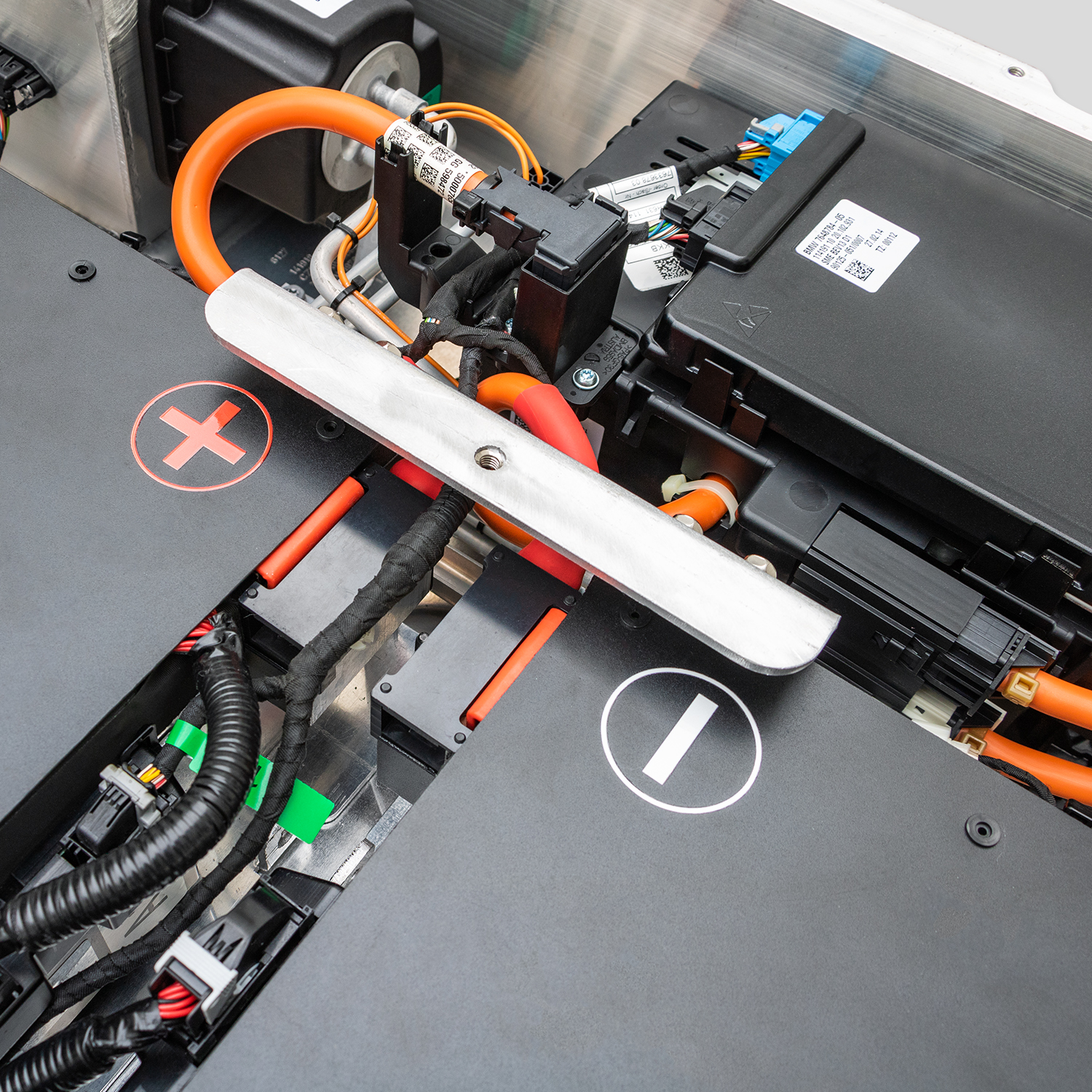
The i3’s Battery Management System (BMS) is a sealed, embedded controller inside the pack. Its job:
- Monitor cell voltages & temperatures
- Balance modules during charging
- Communicate with the car’s central computer (CAS, EME)
- Enforce safety cutoffs if anomalies are detected
Crucially:
BMW does not release public BMS firmware updates. Unlike navigation or iDrive, the BMS software is static unless hardware changes.
So when owners say “my BMS needs an update,” they usually mean:
- The BMS must be recoded to recognize a new battery capacity (e.g., after upgrade)
- Or adaptation values need resetting after a full discharge
Neither is a simple “download and install.”
⚠️ The Risks of DIY BMS “Updates”
Using generic tools like ISTA, E-Sys, or BimmerCode without proper training can cause:
- BMS-CAS communication failure → car won’t power on
- Incorrect Ah rating coding → false range estimates or premature shutdown
- Security lockouts requiring dealer-level ENET + ISTA/P access
- Voided warranties (including CNS, if improper coding damages the pack)
📌 Fact: Over 60% of “bricked i3” cases we see at CNS stem from unauthorized BMS manipulation—not hardware failure.
When Is BMS Reprogramming Actually Required?
Only in these scenarios:
✅ After installing a non-OEM battery pack (like CNS 45/50/62kWh)
✅ Replacing the EME (Electric Machine Electronics) unit
✅ Swapping packs between different i3 model years
In all cases, the goal isn’t to “update software”—it’s to tell the car what size battery is now installed so the BMS and vehicle network agree.
This requires:
- Vehicle-specific FA (Factory Authorization) codes
- Correct Ah rating input (e.g., 135Ah for CNS 50kWh)
- Post-coding validation via HV system test plan
The Safe Path: Let CNS Handle BMS Integration
When you choose a CNS BATTERY replacement, you’re not just buying cells—you’re getting end-to-end technical assurance:
✅ Pre-installation consultation: We confirm your i3’s exact model/year and provide the correct coding parameters
✅ Step-by-step BMS integration guide: Clear instructions for your installer (or local shop)
✅ Remote support during coding: Our engineers join live video calls to verify ISTA/E-Sys steps
✅ Post-install validation checklist: Ensure communication, regen, and charging all function
“My local garage had never coded an upgraded i3 pack. CNS’s engineer walked them through ISTA in 20 minutes. Car started on first try—range matched perfectly.”
— Thomas B., Amsterdam
You focus on driving. We handle the high-voltage handshake.
One Safe DIY Step You Can Take: Read BMS Data
While you shouldn’t change BMS settings, you can safely read its data:
- Install BimmerLink (iOS/Android)
- Connect a compatible OBD2 adapter (e.g., OBDLink MX+)
- View:
- Cell voltages
- Module temperatures
- Usable capacity (kWh)
- BMS error codes
This helps diagnose issues—without risking reprogramming.
💡 Never use apps that claim to “reset” or “recode” the BMS unless you’re a certified BMW technician with proper tools.
Frequently Asked Questions: i3 BMS & Software
Q: Does BMW ever push BMS updates over-the-air?
A: No. i3 lacks OTA capability for HV systems. All BMS changes require physical diagnostic access.
Q: Can a dealer refuse to code a CNS battery?
A: Some may—but legally, they cannot deny service solely due to aftermarket parts. CNS provides full technical documentation to ease their concerns.
Q: Is BimmerCode sufficient for BMS coding?
A: No. BimmerCode handles convenience features—not HV system parameters. You need E-Sys or ISTA with PSdZData.
Q: Will CNS help if I already bricked my BMS?
A: Yes—we offer recovery support, but success depends on damage level. Prevention is far safer.
Q: Do CNS packs come pre-coded?
A: No—the BMS is generic. Coding must happen in your specific vehicle to match VIN and network IDs.
Don’t Gamble With Your Car’s Nervous System
The BMS isn’t software you update.
It’s the guardian of your high-voltage heart.
Treat it with respect—or pay the price.
Get Professional BMS Integration—Built Into Every CNS Replacement
Why risk DIY when expert support is included?
CNS BATTERY ensures your new pack talks flawlessly to your i3—from day one.
Click below to request your replacement kit—and get lifetime BMS integration guidance:
👉 https://cnsbattery.com/ev-battery-home/ev-battery-contact/