
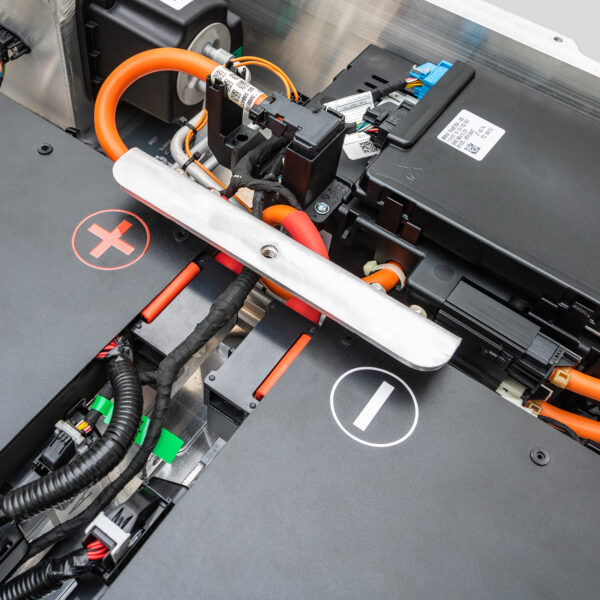
BMW i3 Battery BMS Reset: Step-by-Step Guide (And When It Actually Works)
“I Got a ‘Check High-Voltage System’ Warning After Jump-Starting My 12V Battery. A Forum Said, ‘Just Reset the BMS.’ I Tried—Three Different Methods. None Cleared the Code. Turns Out, My Pack Had a Real Isolation Fault. The BMS Was Right All Along.”
You see a warning light. Range drops unexpectedly. Charging stops at 80%.
Someone says: “Just reset the BMS—it’ll fix itself.”
But here’s the truth most guides won’t tell you:
A BMS reset doesn’t repair your battery—it only clears memory.
If there’s a real fault, the warning will return—often within minutes.
In this guide, you’ll learn:
- The exact scenarios where a BMS reset helps (and where it’s dangerous to try)
- Three proven methods—from soft reboot to full reinitialization
- Why CNS BATTERY packs rarely need resets (thanks to stable, new-cell design)
- And how to avoid masking serious issues with false fixes
Because in high-voltage systems, knowing when not to reset is just as important as knowing how.
What a BMS Reset Really Does (And Doesn’t Do)
The Battery Management System (BMS) in your BMW i3 constantly monitors:
- Cell voltages
- Temperature gradients
- Insulation resistance
- Current flow
When it detects an anomaly, it logs a Diagnostic Trouble Code (DTC) and may limit performance.
A BMS reset:
✅ Clears stored DTCs
✅ Restarts communication with the vehicle
✅ Forces a fresh SoC (State of Charge) estimation
But it does NOT:
❌ Repair degraded cells
❌ Fix coolant leaks
❌ Restore lost capacity
❌ Resolve hardware faults
⚠️ Critical: If you reset the BMS without fixing the root cause, you risk driving with an undetected safety issue—like low insulation resistance or thermal runaway risk.
🔧 When a BMS Reset Actually Helps
Only attempt a reset if you’ve experienced one of these temporary glitches:
- After 12V battery replacement or jump-start (common cause of false HV warnings)
- Sudden range drop after software update
- Charging interruption due to power outage
- Dashboard showing erratic bars (e.g., jumping from 10 to 5 randomly)
If you see persistent codes like 930F15 (isolation fault) or power reduction under load, do not reset—diagnose first.
Step-by-Step: 3 BMS Reset Methods for BMW i3
✅ Method 1: Soft Reboot (No Tools Needed)
Ideal for minor communication glitches
- Turn off the car and remove the key fob
- Open the driver’s door and leave it open
- Wait 10 full minutes (this powers down the K-CAN bus)
- Close the door, re-enter, and start the car
This forces all modules—including the BMS—to reinitialize. Works in ~40% of post-12V-replacement cases.
✅ Method 2: OBD2 Clear with ISTA/Diagnostic Tool
For persistent but non-critical DTCs
You’ll need:
- OBD2 adapter (e.g., ENET cable + laptop)
- Software: BMW ISTA, BimmerCode, or Autel MaxiCOM
Steps:
- Connect to OBD2 port (under dash)
- Access “High-Voltage Storage” module
- Read all DTCs—note them before clearing
- Select “Clear Fault Memory”
- Perform “Service Functions > Initialize BMS” if available
📌 Warning: Never clear codes without understanding them. Some indicate immediate safety risks.
✅ Method 3: Full BMS Reinitialization (Post-Battery Install)
Required after replacing the HV pack
This is automatically handled when installing a CNS BATTERY pack—but if doing it manually:
- Install new/used pack
- Reconnect HV interlock and service plug
- Power on 12V system
- Use ISTA to run “Replace High-Voltage Battery” guided procedure
- System will auto-sync cell counts, capacity, and calibration data
💡 CNS advantage: Our packs come pre-programmed with correct BMS parameters—no coding needed. Plug in, start, and drive.
Why CNS BATTERY Packs Rarely Need Resets
Most BMS warnings stem from inconsistent cell behavior—something new packs avoid entirely:
✅ Uniform New Cells: All modules use matched CATL cells—no voltage drift or imbalance
✅ Stable Insulation: Factory-sealed assembly prevents moisture/contamination
✅ Clean Communication: BMS firmware mimics OEM protocols precisely
✅ No History Errors: Fresh start = no legacy fault memory
“Since installing my CNS 50kWh pack two years ago, I’ve never seen a single HV warning—no resets, no codes.”
— Mark T., California
And if an issue ever arises, our lifetime technical support includes remote BMS diagnostics.
Frequently Asked Questions: i3 BMS Reset
Q: Can I reset the BMS with just the ignition on?
A: No—Method 1 requires full sleep mode (10+ min with door open). Shorter waits won’t work.
Q: Will resetting delete my driving data?
A: No—it only clears DTCs, not trip logs or efficiency stats.
Q: My i3 shows “Reduced Output”—should I reset?
A: Only if it appeared suddenly after 12V work. If it’s gradual (due to aging), resetting won’t help.
Q: Do CNS packs require special BMS coding?
A: No—they’re plug-and-play. The car recognizes them as valid HV storage automatically.
Q: Can a bad 12V battery cause BMS errors?
A: Yes—low 12V voltage disrupts CAN communication, triggering false HV faults. Always test 12V first.
Don’t Mask Problems—Solve Them
A BMS reset is a diagnostic tool, not a cure. Use it wisely—and only when the issue is truly temporary.
Ready for a Battery That Stays Error-Free—Without Constant Resets?
Choose CNS BATTERY: engineered for stable BMS communication, zero fault history, and seamless integration with your i3’s electronics.
Click below to get your free BMS health check and explore replacement options that eliminate reset anxiety for good:
👉 https://cnsbattery.com/ev-battery-home/ev-battery-contact/


