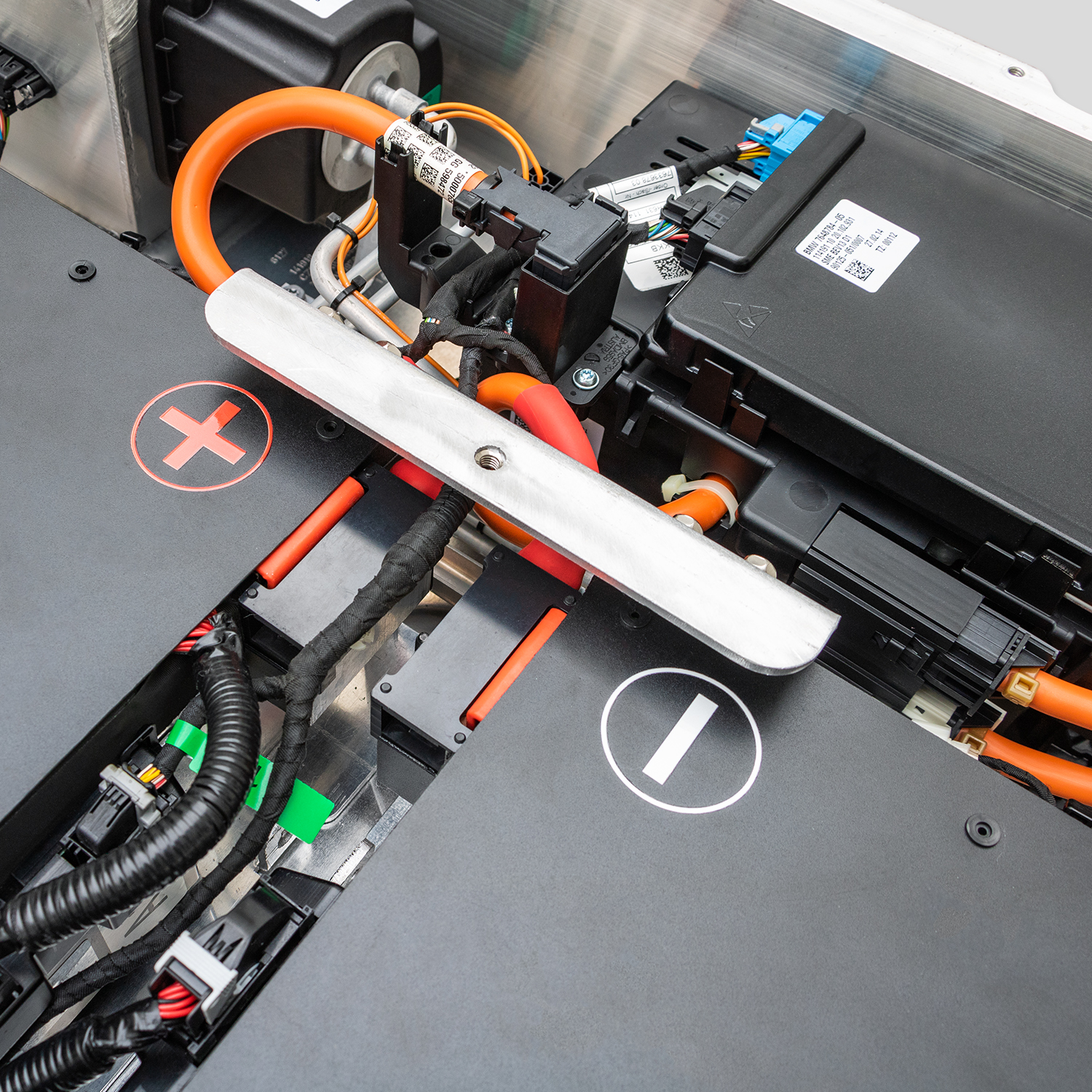
Solving Nissan e-NV200 BMS Programming Faults Without Going to the Dealer
Are you staring at a diagnostic error code on your Nissan e-NV200, dreading the trip to the dealership? You’re not alone. Many e-NV200 owners face BMS (Battery Management System) programming faults when upgrading or replacing their battery packs. The common belief is that you need expensive dealership software and a factory technician to fix this. However, with the right aftermarket solution, specifically designed for plug-and-play compatibility, you can bypass the dealer entirely.
At CNS BATTERY, we specialize in OEM-compatible lithium-ion solutions for Nissan and BMW. We understand the frustration of complex coding. Our engineering team designs every pack to integrate seamlessly with the vehicle’s existing architecture. In this guide, we will walk you through why these faults occur and how our pre-programmed modules eliminate the need for third-party tools.
Why Do BMS Faults Occur After Battery Replacement?
When you replace the high-voltage battery in a Nissan e-NV200, the vehicle’s main control unit expects specific resistance values and communication protocols from the new BMS. If these values don’t match the factory specifications, the car throws a fault code.
Common reasons for these errors include:
- Mismatched Resistance Values: The vehicle checks for specific resistors (e.g., 120k, 150k, 200k, 300k ohms) to verify the battery’s state.
- CAN Bus Communication: The new BMS must speak the same “language” (CAN protocol) as the Nissan ECU.
- Capacity Mismatch: If the new battery’s rated capacity (e.g., 40kWh vs. 62kWh) isn’t recognized, the system faults.
The CNS Solution: Plug-and-Play Technology
Unlike generic aftermarket batteries that require you to hunt for obscure coding software, CNS BATTERIES are engineered to mimic the original factory modules.
1. Pre-Programmed to Match
Our batteries come pre-configured with the exact resistance values and communication protocols required by the Nissan e-NV200. Whether you are upgrading from a 40kWh to a 50kWh pack or replacing a degraded unit, our BMS is already programmed to communicate with your vehicle.
2. Physical Adapter Compatibility
We don’t just change the software; we match the hardware. Our connectors are designed to fit the original harness perfectly. There is no need to cut wires or splice adapters, which are common causes of communication errors.
3. Real-Time Technical Support
If you do encounter a rare fault code (often caused by external factors like low 12V auxiliary battery voltage), our technical team provides video call guidance. We don’t just sell you a battery and leave you to figure it out; we guide you through the reset process.
Step-by-Step: Installing Your New Battery Without a Dealer
Here is how to replace your battery and resolve any potential BMS issues without stepping foot in a dealership.
Step 1: Preparation
Ensure your 12V auxiliary battery is fully charged. A weak 12V battery is the most common cause of “false” BMS faults during installation, as the vehicle cannot power the diagnostic systems properly.
Step 2: Physical Installation
- Disconnect the negative terminal of the 12V battery.
- Remove the old high-voltage pack.
- Install the new CNS battery.
- Crucially: Connect the high-voltage harness and the communication cable (CAN bus) securely. Loose connections are the primary enemy of BMS communication.
Step 3: The “Soft Reset”
If the dashboard shows a fault after startup, try a soft reset before assuming the BMS is faulty:
- Turn the ignition off.
- Disconnect the 12V battery negative terminal again.
- Wait for 10 minutes to allow the vehicle’s capacitors to discharge and the ECU to reset.
- Reconnect the 12V battery and start the vehicle.
Step 4: Professional Video Guidance
If the fault persists, contact our support team. We will arrange a video call where an engineer will:
- Visually inspect your connections.
- Guide you through checking resistance values with a multimeter (if necessary).
- Confirm that the communication lines are active.
Why Choose CNS for Your e-NV200 Upgrade?
When you buy a battery from CNS, you are not just buying cells; you are buying a complete, tested system backed by a warranty that beats the OEM.
| Feature | Generic Aftermarket Batteries | CNS BATTERY |
|---|---|---|
| BMS Compatibility | Often requires third-party coding tools or dealer visit | Pre-programmed for OEM compatibility |
| Cells Used | Recycled or low-grade cells | Brand-new CATL Lithium Cells |
| Warranty | Short or non-existent | 2-Year / 80,000km Warranty |
| Support | Email only, slow response | Video Call + Remote Guidance |
| Cost | Cheap upfront, expensive repairs | 50% Savings vs. Nissan Dealer |
Frequently Asked Questions (FAQ)
Q1: Can I really install this myself, or do I need a mechanic?
A: While we recommend a certified technician for high-voltage work, many of our customers perform the installation themselves with the help of our video tutorials. The process is largely “plug-and-play,” but safety with high-voltage systems is paramount.
Q2: What if my specific error code isn’t covered here?
A: Every vehicle and fault scenario is unique. If you are facing a specific diagnostic trouble code (DTC), please contact our technical experts. We have deep expertise in the Nissan e-NV200 model range and can provide personalized advice.
Q3: How long does the installation take?
A: For a professional, the physical swap usually takes about 1-2 hours. If you are doing it yourself for the first time, budget extra time for safety checks and watching our installation guides.
Q4: Do you ship internationally?
A: Yes, we support international sales to over 50 countries. We handle customs compliance and offer DDP (Delivered Duty Paid) services to streamline the process for you.
Get Your Custom Quote Today
Don’t let the fear of BMS programming faults stop you from upgrading your Nissan e-NV200. With CNS BATTERY, you get a factory-grade solution at half the price, with the support to ensure it works the first time.
Ready to solve your battery issues? Contact our technical experts now for a free customization quote and peace of mind.