
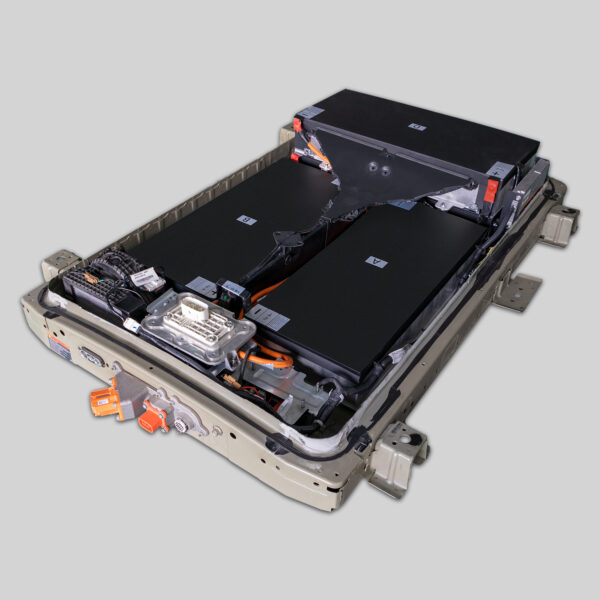
⚡️ The Ultimate Guide to Bypassing e-NV200 Evalia BMS Programming
Is your Nissan e-NV200 Evalia refusing to deliver full power after a battery replacement or repair? You’re not alone. Many owners and technicians face the frustrating “limp mode” or reduced power warning when the Battery Management System (BMS) detects a mismatch between the vehicle’s software and the new hardware.
At CNS BATTERY, we understand the intricate communication protocols of Nissan’s electric powertrains. We don’t just sell batteries; we provide the technical expertise to ensure seamless integration. This guide will walk you through the common causes of this issue and how our OEM-compatible solutions eliminate the need for risky “bypasses.”
🤔 Why Does the BMS Restrict Power?
Before attempting to “bypass” anything, it’s crucial to understand the root cause. The BMS isn’t being difficult; it’s trying to protect your vehicle.
- VIN Mismatch: The BMS stores data linked to the specific Vehicle Identification Number. A new battery pack might not be registered to that specific VIN.
- Cell Chemistry & Voltage: If the new cells (NMC vs LFP) or voltage curves do not perfectly match the OEM specifications, the BMS will trigger a safety fault.
- SOC (State of Charge) Calibration: If the BMS isn’t calibrated to recognize the new battery’s full capacity, it may cut power to prevent over-discharge.
⚠️ Warning: Hard-wiring a “bypass” or physically cutting communication lines is dangerous and can result in fire, permanent vehicle damage, or voiding any warranty.
🛠️ The Safe & Professional Solution: Reprogramming vs. Bypassing
Instead of bypassing the BMS, the correct technical approach is reprogramming or matching.
1. VIN & Parameter Matching
Our CNS e-NV200 batteries are built to OEM standards using premium brand-new CATL cells. To restore full power, we ensure that the BMS parameters (voltage, capacity, and chemistry) match the factory settings stored in your car’s ECU.
2. Professional Diagnostic Tools
You will need a Nissan-specific diagnostic tool (such as Consult-III or equivalent) to:
- Register the new battery’s unique ID with the vehicle’s ECU.
- Reset the “Battery Degradation” counters.
- Synchronize the SOC between the BMS and the dashboard.
3. The CNS “Plug-and-Play” Advantage
Unlike refurbished or generic batteries that require complex rebalancing, our packs are pre-programmed at the factory. In most cases, once connected, they communicate seamlessly with the Nissan Evalia system. However, for absolute full power restoration, a simple software refresh at a dealership or a professional technician is recommended.
📊 Why Choose a CNS Battery for Your e-NV200 Evalia?
Using a substandard battery often forces users to look for “bypass hacks” because the battery cannot communicate properly. With CNS, the communication is native.
| Feature | Generic/Refurbished Batteries | CNS BATTERY (OEM Compatible) |
|---|---|---|
| Cell Source | Recycled, mismatched cells | Brand New CATL Cells |
| BMS Communication | Often faulty; requires bypassing | Native OEM Protocol; No Bypass Needed |
| Warranty | 3-6 months | 2 Years / 80,000 km |
| Power Output | Unstable; prone to cuts | Stable Full Power Delivery |
| Price | Cheap upfront, expensive to fix | 50% Savings vs. OEM |
💡 Expert Tips for Restoring Full Power
If you are facing a power restriction, follow these steps before considering a bypass:
- Full Charge Cycle: Sometimes, the BMS just needs to learn the new battery. Perform a full discharge (until the car stops) followed by a full charge (100% for 2 hours).
- Check Connections: Ensure the CAN bus lines between the battery and the motor controller are secure.
- Contact Technical Support: If the error persists, do not cut wires. Contact our technical team for remote video guidance.
❓ Frequently Asked Questions (FAQ)
Q1: Can I physically bypass the BMS to get full power immediately?
A: No. Physically bypassing the BMS removes all safety protection. This will lead to thermal runaway (fire) or immediate cell damage. The only safe way is to use a compatible battery and reprogram the VIN.
Q2: How do I know if my e-NV200 battery is compatible?
A: We support all e-NV200 models (including Evalia variants). Before shipping, we perform a Free VIN Compatibility Check to ensure the BMS firmware matches your car’s year and model.
Q3: Does CNS provide the software tools to fix the programming?
A: While we cannot provide dealership-level software (due to licensing), we offer Remote Video Technical Support. Our engineers will guide you or your mechanic step-by-step through the connection and charging process to ensure the BMS syncs correctly.
Q4: What is the lifespan of a CNS e-NV200 battery?
A: Thanks to the high-quality CATL cells and our robust thermal management design, our batteries are engineered to last far longer than refurbished options, maintaining over 70% capacity even after 80,000 km.
Ready to solve your e-NV200 Evalia power issues safely?
Don’t risk your safety with dangerous wiring hacks. Get a factory-standard battery that communicates perfectly with your car’s computer.


