What to Do If Your Leaf Won’t Start After a Battery Replacement
The moment you slide into the driver’s seat, turn the key, and hear… silence… is panic-inducing. You’ve just invested time and money into a new Nissan Leaf battery, expecting a “car rebirth,” only to be stranded with a dashboard full of warning lights. Before you call a tow truck or panic about a faulty battery, take a deep breath. As a technical expert at CNS BATTERY, I’ve seen this scenario hundreds of times. More often than not, the issue isn’t a dead battery—it’s a simple communication breakdown between the battery and your car’s brain (the BMS).
This guide is designed to walk you through the most common reasons your Leaf won’t start after a replacement and, more importantly, how to fix them safely and quickly.
Why Your Leaf Won’t Start: The “Communication Gap”
Many drivers assume that an electric car battery is just a “plug-and-play” energy container. However, modern EVs like the Nissan Leaf (ZE0, AZE0, and ZE1 models) rely on sophisticated Battery Management Systems (BMS). When you install a new battery pack, the car’s computer often needs to be “introduced” to the new hardware.
If your Leaf won’t start, the culprit is usually one of the following:
- BMS Programming Required: The car’s software needs to sync with the new battery’s internal software.
- Connection Issues: A loose high-voltage connector or a forgotten low-voltage cable.
- SOC (State of Charge) Too Low: The battery might be completely drained from storage or shipping.
Step-by-Step Troubleshooting Guide
1. The “Hard Reset” (The First Thing to Try)
Before diving into complex diagnostics, try the simplest solution first. Sometimes, the car just needs a “reboot.”
- Step 1: Turn the ignition to the “On” position (do not start the car).
- Step 2: Press and hold the accelerator pedal to the floor for 15 seconds.
- Step 3: Turn the ignition off, wait 1 minute, and try to start the car again.
Expert Tip: If you see the “Turtle” light (reduced power) or a red battery warning, this usually indicates a connection issue, not a dead battery.
2. Check the Physical Connections
Even the best battery in the world won’t work if it isn’t connected properly. Double-check the following:
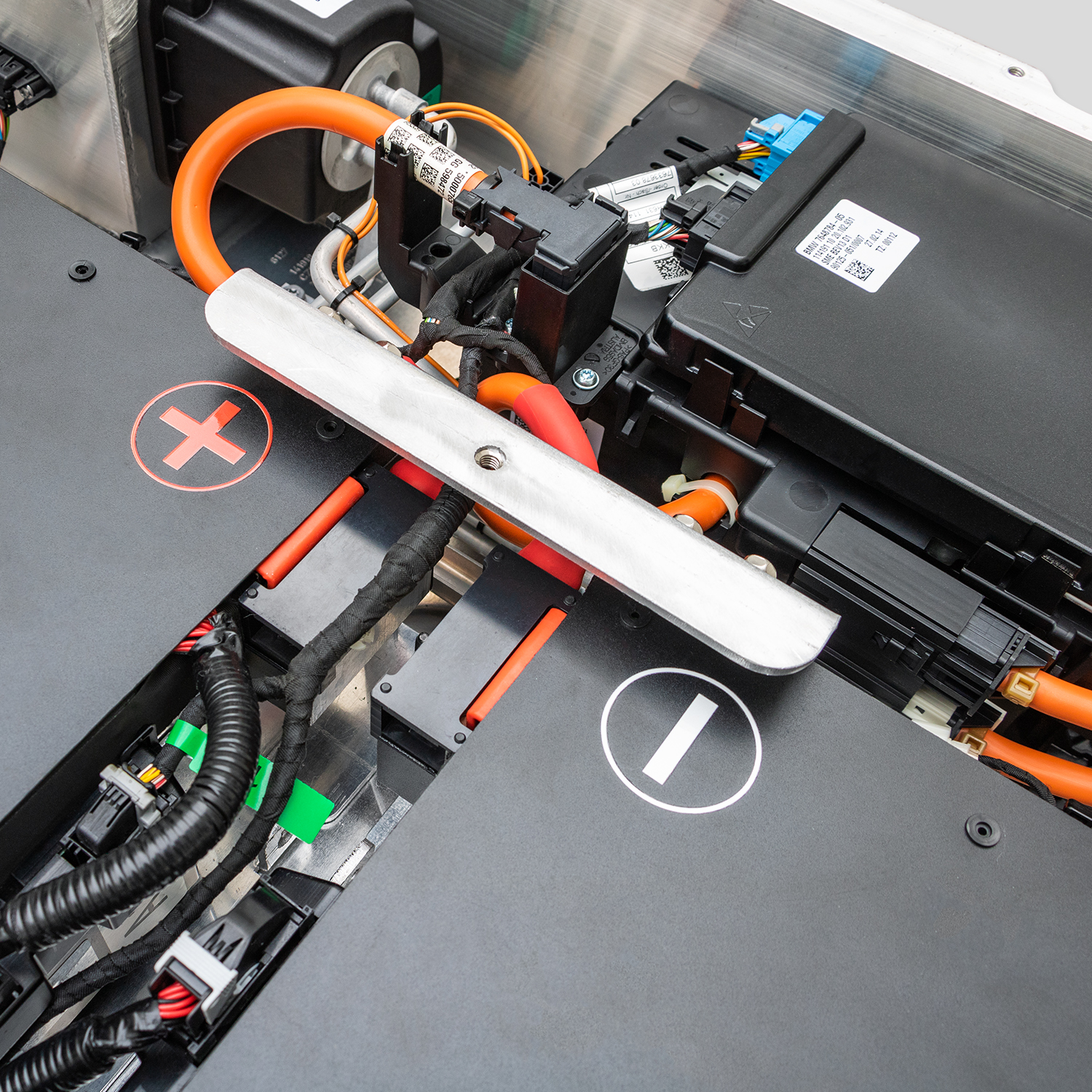
- High Voltage (HV) Connectors: Ensure the orange connectors are fully seated and the safety locks are clicked into place.
- 12V Low Voltage Cable: This is the “brain” connection. If this isn’t plugged in correctly, the car won’t recognize the battery exists.
- CAN Bus Cables: These are the communication lines. A loose CAN cable means the dashboard won’t receive power signals.
3. BMS Reprogramming (The Most Common Fix)
If the connections are secure and the car still won’t start, you likely need a BMS update. Nissan Leaf batteries require specific software protocols to handshake with the vehicle.
Why is this necessary?
The BMS acts as a translator. Without the correct firmware, your car might think the battery is “unauthorized” or “defective,” triggering a safety lockout.
What you need:
You will typically need a specialized diagnostic tool (like an OBD2 scanner compatible with Nissan EVs) to refresh the BMS data. If you don’t have the tool, this is where professional technical support becomes invaluable.
Why Choose a CNS BATTERY for Your Replacement?
At CNS BATTERY, we don’t just sell lithium-ion packs; we provide complete powertrain solutions designed specifically for Nissan and BMW models. We understand the frustration of a car that won’t start, which is why our approach is different.
1. Genuine CATL Cells, Zero Failure Rate
Unlike refurbished batteries that can swell or fail immediately, our packs use brand-new CATL battery cells. This ensures maximum durability and safety. If your car won’t start with a CNS battery, it’s almost never due to a dead cell—it’s a simple fixable issue.
2. Plug-and-Play Design with OEM Compatibility
Our batteries are engineered to meet Original Equipment Manufacturer (OEM) standards. We pre-test all connections to ensure a perfect fit for your Leaf model (ZE0, AZE0, ZE1).
3. 24/7 Technical Support & BMS Assistance
We know that even experts need help sometimes. That’s why we offer lifetime technical support. If your Leaf won’t start after installing our battery, our engineers provide remote video guidance to help you reprogram the BMS or check connections—ensuring you aren’t left stranded.
Real-World Success: Mark’s Story
Let me share a story from one of our customers, Mark T. from California.
“I upgraded my 2015 Nissan Leaf ZE0 from 40kWh to 62kWh using a CNS battery. After the installation, the car wouldn’t start. I panicked, thinking I had wasted $7,800. I contacted CNS support, and within 10 minutes, an engineer walked me through a BMS reset via video call. It took 5 minutes. Now, my range is 430km, and the car runs smoother than it did in 2015.”
This is the CNS difference. We don’t just ship a box; we ship a solution with a team standing behind it.
Frequently Asked Questions (FAQ)
Q1: Do I need special tools to fix a Nissan Leaf that won’t start after a battery swap?
A: For a simple hard reset, no tools are needed. However, if the BMS requires reprogramming, you will likely need an OBD2 diagnostic tool. If you don’t have one, contact our technical support team; we can often guide you through alternative methods or provide the necessary software assistance.
Q2: How long does it take to fix a Leaf that won’t start?
A: In most cases, resolving a “no start” issue takes less than 30 minutes. Simple connection checks and resets are quick. BMS reprogramming usually takes less than 10 minutes once you have the correct tool.
Q3: What is the warranty on a CNS Battery if my car won’t start?
A: All CNS batteries come with a 2-year / 80,000 km warranty. If your car won’t start due to a manufacturing defect in the battery pack, we provide a free replacement. Our warranty also covers technical support to help you get back on the road.
Ready to Get Your Leaf Back on the Road?
If you’re facing the frustration of a Nissan Leaf that won’t start, or if you’re planning a battery replacement and want to avoid these issues altogether, CNS BATTERY is here to help.
Don’t gamble with refurbished or unknown battery brands that leave you without support. Choose a manufacturer that offers brand-new CATL cells, OEM compatibility, and lifetime technical assistance.
Contact our technical experts now for a free consultation or to get a personalized quote for your Nissan Leaf: