
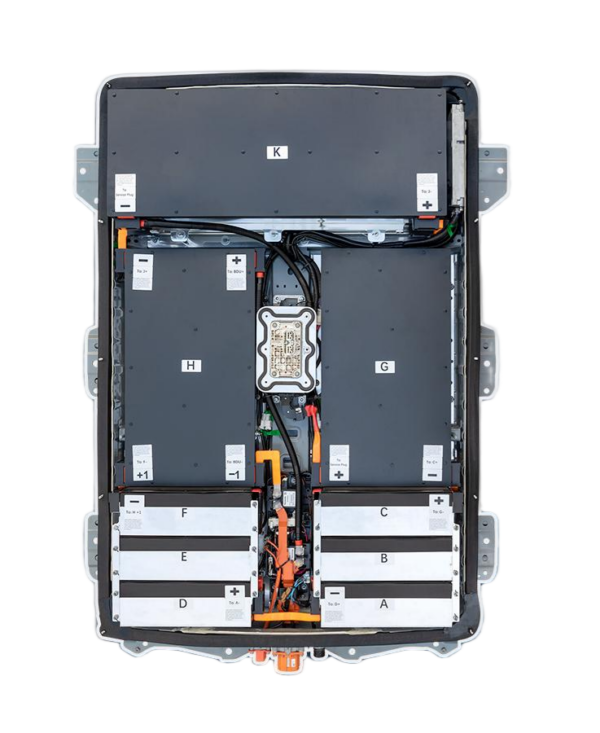
Top DIY Videos for New Nissan Leaf AZE0 Swap
Are you struggling to find reliable guidance for swapping the battery in your Nissan Leaf AZE0? You’re not alone. As the electric vehicle market evolves, many owners are looking to extend the life of their cars with a new Nissan Leaf battery. However, the process can seem daunting without the right resources.
At CNS BATTERY, we understand that a successful battery replacement requires more than just hardware; it requires confidence. That confidence comes from knowledge. To help you through this process, we have curated the best DIY videos and paired them with our expertise to ensure your Nissan Leaf AZE0 battery swap is safe, efficient, and successful.
Why Upgrade Your Nissan Leaf AZE0 Battery?
The Nissan Leaf AZE0 (often referring to the 2nd generation Leaf) is a robust platform, but battery degradation is inevitable. If you are experiencing reduced range or error codes, a battery replacement is often the most cost-effective solution compared to buying a new car.
Unlike the older ZE0 models, the AZE0 features a different battery pack structure and mounting system. This is why relying on generic tutorials can lead to mistakes. You need specific, up-to-date information.
The CNS BATTERY Advantage
When you choose a CNS BATTERY for your Nissan Leaf, you are not just buying a product; you are buying peace of mind. Our packs are built to OEM standards using brand-new CATL cells, ensuring perfect compatibility with the Nissan Leaf AZE0.
Here is how we compare to other options:
| Feature | CNS BATTERY | Refurbished/Used Batteries |
|---|---|---|
| Cell Quality | Brand-new CATL cells (Top-tier performance) | Recycled/aged cells (High risk of failure) |
| Warranty | 2 Years / 80,000 km | Often None or Very Short |
| Price | ~50% of OEM Cost | Variable, often hidden repair costs |
| Reliability | Zero-fault performance | High risk of swelling or degradation |
Essential DIY Videos for Your Nissan Leaf AZE0 Swap
While our batteries are designed for a plug-and-play experience, visual guidance is crucial. Below are the types of tutorials you should look for, and how CNS supports you every step of the way.
1. Pre-Installation Safety & Preparation
Before you even touch a wrench, safety is paramount. Look for videos that emphasize:
- Disconnecting the 12V Battery: This is the first step to cut all power.
- Personal Protective Equipment (PPE): Always wear insulated gloves and safety glasses.
- Lifting Equipment: The Nissan Leaf AZE0 battery is heavy. You will need a transmission jack or a specialized EV battery lift.
Expert Tip: CNS provides a free installation toolkit (including insulated gloves) with every purchase to ensure you have the right gear.
2. Removal of the Old Battery Pack
The AZE0 model has specific mounting points. A good tutorial will show you how to:
- Remove the underbody covers.
- Disconnect the high-voltage (HV) cables and the low-voltage communication cables.
- Unbolt the 20+ bolts securing the pack to the chassis.
What to Watch For: Pay close attention to the sequence of bolt removal. Some videos show mechanics removing bolts in a star pattern to prevent warping the chassis mounts.
3. Installing the New CNS BATTERY Pack
This is where our OEM compatibility shines. Your new Nissan Leaf battery from CNS should fit perfectly into the chassis without any modifications.
- Alignment: The videos should demonstrate how the brackets line up seamlessly.
- Reconnection: Ensure the tutorial shows the correct connection of the BMS (Battery Management System) harness. This is critical for the car to recognize the new pack.
4. BMS Programming & “First Boot”
This is the most critical step that many generic videos miss. After installing the physical battery, your car’s BMS needs to be reset or programmed to accept the new voltage and capacity.
- The Process: Most professionals use an OBD2 scanner to clear old error codes.
- CNS Support: If you encounter issues during this “first boot,” our technical team offers remote video guidance to walk you through the programming process. We don’t leave you hanging after the installation.
Frequently Asked Questions (FAQ)
1. Is it safe to DIY a Nissan Leaf AZE0 battery swap?
Yes, it is safe if you follow proper safety protocols. The key is to disconnect the 12V battery first and avoid touching the high-voltage terminals. While the physical swap is mechanical (bolting and unplugging), the final BMS reset might require basic OBD2 tools. If you are unsure, we highly recommend consulting a professional mechanic, but our videos and support are designed to empower confident DIYers.
2. Will a CNS BATTERY fit my Nissan Leaf AZE0 perfectly?
Absolutely. We specialize in Nissan and BMW powertrains. Our Nissan Leaf AZE0 battery is engineered to meet original factory standards. This means the dimensions, connectors, and communication protocols are identical to the OEM pack. You will not need to modify any brackets or wiring.
3. What if I don’t have the right tools?
The standard tools required are a torque wrench, a hydraulic transmission jack (rated for at least 300kg), and basic socket sets. As mentioned, CNS includes a free installation toolkit with insulated gear. If you lack a lift, many tutorials show creative ways to use wooden blocks and a floor jack, but a proper transmission jack is strongly advised for safety.
4. How do I get the “First Boot” programming right?
After the physical installation, the car might throw error codes because it remembers the old battery’s health. This is normal. You typically need to:
- Turn the key to “On” (do not start the car).
- Wait 10-15 minutes for the BMS to communicate with the new cells.
- Start the car. If errors persist, a mechanic can clear them via OBD2. Our customer service team is available via video call if you get stuck during this handshake process.
Ready to Revive Your Nissan Leaf?
Don’t let a degraded battery stop you from enjoying your Nissan Leaf AZE0. With the right DIY videos as your visual guide and a high-quality new Nissan Leaf battery from CNS BATTERY, you can restore your car’s range and reliability.
We are committed to your success. If you have questions about compatibility or need specific advice for your model year, our technical experts are ready to help.
Get a Free Custom Quote for your Nissan Leaf AZE0 today!


